
1Password Alternatives: Affordable Password Managers for 2026
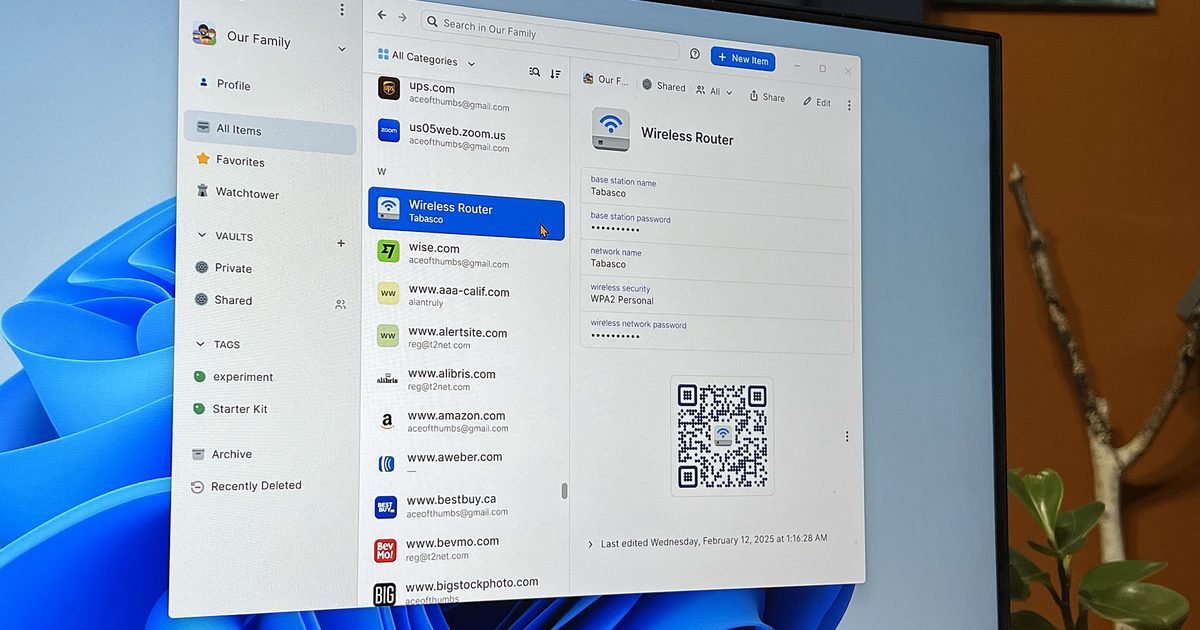
1Password has long been the gold standard for password managers, combining sleek design, robust security, and user-friendly features. But in March 2026, the company announced a significant price hike for its Individual and Family plans, leaving many users scrambling for alternatives. While 1Password remains a top-tier option, the cost increase has opened the door for budget-friendly competitors to step in. Let’s explore the best 1Password alternatives that deliver similar functionality at a fraction of the price.
Why 1Password’s Price Hike Matters
For years, 1Password’s pricing stayed stable, making it a no-brainer for users who value convenience and security. However, the new Individual plan jumps from $35.66 to $47.88 annually (a 33% increase), while the Family plan rises from $59.88 to $71.88 (20% increase). These changes have sparked frustration, especially for users who rely on the service for critical tasks like storing sensitive documents and managing multiple accounts.
As one user humorously noted on Twitter, “1Password is the largest gap between what I’m invoiced and how terrible life would be if the service went away.” While the sentiment is lighthearted, it highlights the tension between cost and necessity.
Top 1Password Alternatives in 2026
1. Apple Passwords: Free and Seamless for Apple Users
If you’re deeply embedded in the Apple ecosystem, Apple Passwords is a compelling alternative. It offers:
- Automatic password saving and autofill
- Wi-Fi credential storage
- Passkey support for secure logins
- Password sharing with trusted contacts
- Security alerts for reused or leaked passwords
The catch? It lacks advanced features like document storage, guest account sharing, and encrypted file vaults. But for basic password management, it’s free and integrates flawlessly with iOS, macOS, and iCloud.
2. Bitwarden: Open-Source Powerhouse at Half the Price
Bitwarden is a standout choice for users who want cross-platform flexibility without breaking the bank. Its free tier includes:
- Unlimited device access
- Passkey and password management
- Encrypted notes and credit/debit card storage
- Identity card templates for forms
Paid plans start at $19.80/year, making it less than half the cost of 1Password’s Individual plan. For teams, Bitwarden’s Family plan ($29.80/year) supports up to six users with shared vaults and advanced security features.
3. Proton Pass: Feature-Rich at a Lower Monthly Rate
Proton Pass offers a compelling middle ground between affordability and functionality. Its $2.99/month plan includes:
- Secure vault sharing with custom permissions
- Dark web monitoring for compromised accounts
- Encrypted file storage (up to 1GB)
- Masked email addresses for privacy
- Passkey support and biometric authentication
While it lacks 1Password’s document management tools, Proton Pass excels in privacy-focused features and is ideal for users who want to avoid annual subscription spikes.
When to Stick With 1Password
1Password isn’t going away, and for good reason. Its strengths include:
- Seamless integration with browsers and apps
- Advanced document and license storage
- Travel mode for temporary account deactivation
- Customizable vaults for teams and families
If you rely on these premium features and can absorb the price increase, 1Password remains a top choice. However, if the cost is a dealbreaker, the alternatives above offer comparable security and usability at a lower price point.
Final Thoughts: Choose Based on Your Needs
The 1Password price hike has sparked a much-needed conversation about value in the password manager space. While the service still delivers exceptional security and design, budget-conscious users now have viable options like Apple Passwords, Bitwarden, and Proton Pass. Evaluate your needs: Do you require document storage? Cross-platform support? Or just basic password management? Your answer will determine whether to stay loyal to 1Password or switch to a more affordable alternative.
FAQs
1. What’s the best 1Password alternative in 2026?
Bitwarden is our top recommendation for its free tier, open-source security, and affordability. For Apple users, Apple Passwords is ideal, while Proton Pass suits privacy-focused individuals.
2. Is 1Password worth the price increase?
It depends on your usage. If you rely on advanced features like document storage and team sharing, the upgrade may be justified. Otherwise, alternatives offer better value.
3. Can I use Apple Passwords without an iPhone?
No—Apple Passwords requires an Apple ID and works best with iOS, macOS, and iCloud. For cross-platform needs, try Bitwarden or Proton Pass.
4. How secure are free password managers?
Bitwarden and Apple Passwords use end-to-end encryption and are trusted by security experts. Always enable two-factor authentication for added protection.
5. Will 1Password lower prices in the future?
Unlikely. The company has stated the increase is permanent to fund ongoing innovation. Consider switching to an alternative if the cost is unsustainable.








