
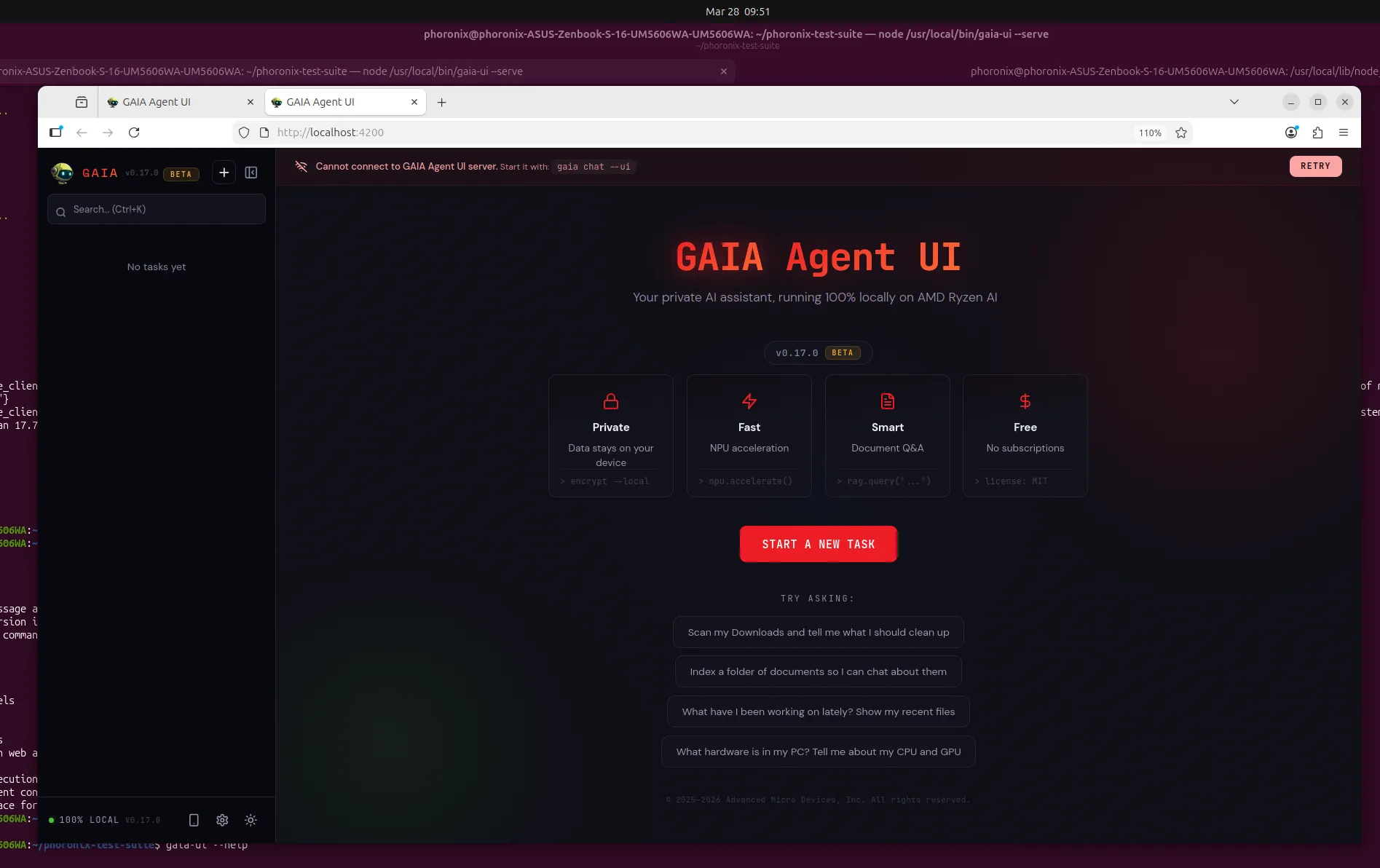
AMD GAIA Agent UI: Privacy-First AI for Local Tasks
AMD has just launched GAIA 0.17, introducing the GAIA Agent UI—a privacy-focused web application designed for local AI agents. This update marks a significant step forward for Ryzen AI hardware users, enabling secure, cloud-free task automation. From document analysis to code generation, GAIA Agent UI redefines how developers and professionals interact with AI locally.
Key Features of GAIA Agent UI
1. Local AI Without Cloud Dependency
The GAIA Agent UI runs entirely on your device, eliminating the need for cloud-based AI services. This ensures sensitive data stays private while leveraging Ryzen AI’s hardware acceleration. For example, you can analyze PDFs or Word documents with page-level citations—all processed locally.
2. Secure Command Execution
GAIA Agent UI allows agents to execute shell commands, write files, and use MCP tools. However, every action requires user approval, adding a critical layer of security. This makes it ideal for developers handling sensitive codebases or system configurations.
3. Cross-Device Accessibility
With a built-in ngrok tunnel, you can access your local GAIA instance from any device. Imagine working on a project at your desk and seamlessly continuing on your phone—all without compromising privacy.
How GAIA Agent UI Works
Built with React/TypeScript and an Electron shell, the GAIA Agent UI offers a streamlined interface for managing AI agents. Here’s how it streamlines workflows:
- Document Analysis: Drag-and-drop files in 53+ formats for instant insights.
- Code Generation: Generate code snippets with real-time feedback.
- File Search: Locate files across projects using natural language queries.
Why Privacy Matters in AI Workflows
Traditional AI tools often rely on cloud services, risking data exposure. GAIA Agent UI addresses this by keeping all processing local. For instance, legal professionals can analyze contracts without uploading them to third-party servers. Meanwhile, developers can debug code securely, knowing no external entity accesses their work.
Getting Started with GAIA 0.17
- Ensure you have Ryzen AI hardware compatible with GAIA.
- Download the latest GAIA 0.17 release from AMD’s official repository.
- Launch the Agent UI and configure your first local AI agent.
For advanced users, the GAIA Agent UI supports custom tool integrations and session persistence. This means you can pick up tasks exactly where you left off, with full history and performance metrics at your fingertips.
Conclusion: Embrace Secure, Local AI
AMD’s GAIA Agent UI sets a new standard for privacy-first AI tools. By combining Ryzen AI’s power with a user-friendly interface, it empowers professionals to automate tasks securely. Ready to experience local AI without compromise? Download GAIA 0.17 today and transform your workflow.








