
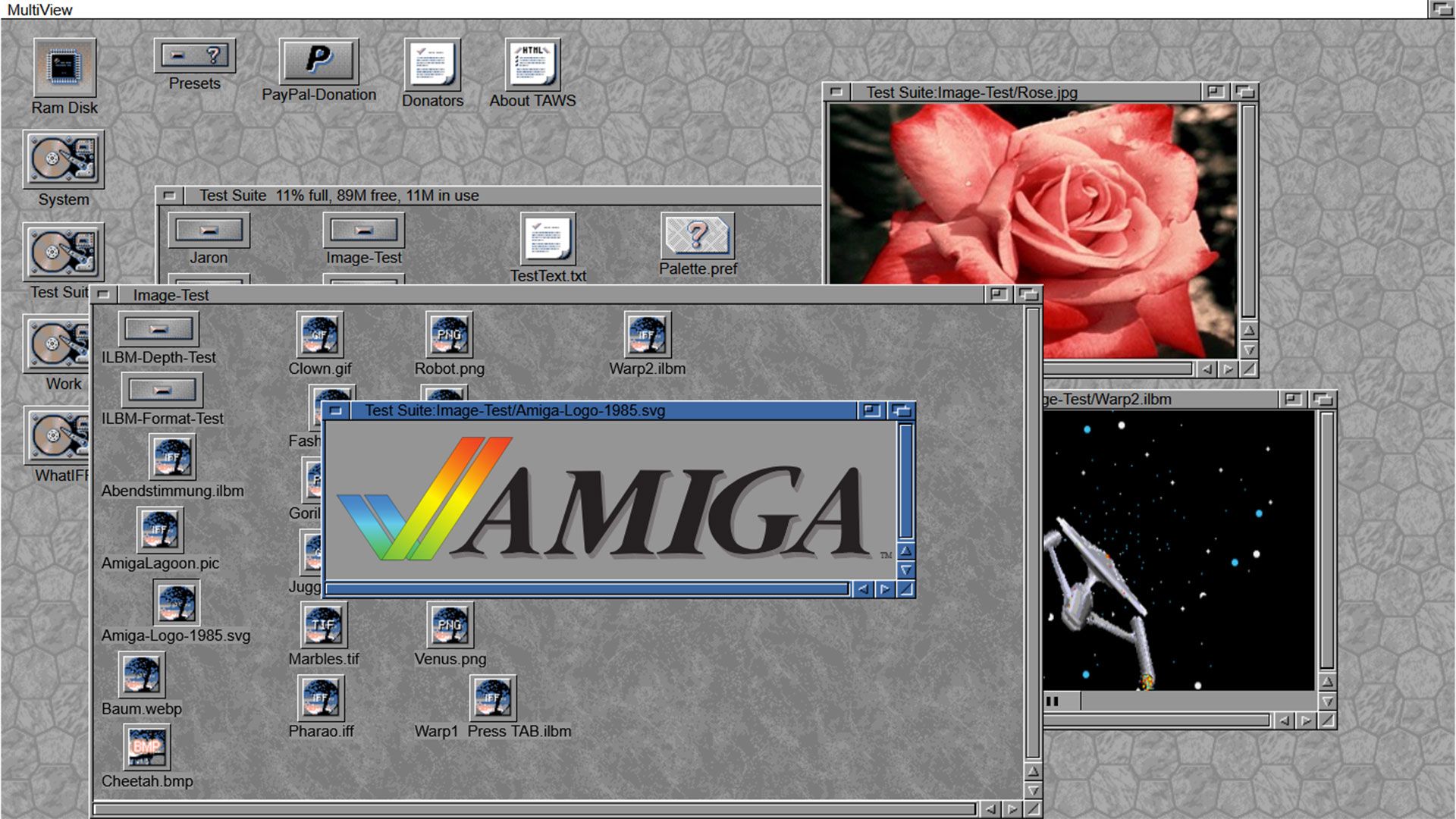
Amiga Workbench Simulator: Test Retro OS Versions in Your Browser
Ever wondered what it would be like to revisit the iconic Amiga desktop environment without owning vintage hardware? The Amiga Workbench Simulator (TAWS) makes it possible. Recently updated with refinements to OS 3.2 and new AmiBench presets, this browser-based tool lets you explore Amiga OS versions from 1.0 to 4.1—and even AROS—all from your modern device.
What Is the Amiga Workbench Simulator?
TAWS is a JavaScript-based simulation of the Amiga Workbench, the graphical interface that powered classic Amiga computers. Unlike full emulators, TAWS focuses on replicating the look and feel of the Workbench GUI, offering a curated experience of Amiga OS versions. It runs in modern browsers like Chrome, Firefox, and Edge, requiring no installation.
Key Features of the Latest Update
- OS 3.2 Refinements: Improved layout accuracy for users nostalgic for the Amiga A1200 era.
- AmiBench Presets: Preconfigured settings for quick testing of classic desktop themes.
- Browser Compatibility: Works seamlessly across Firefox, Chrome, Opera, and Edge.
How to Use the Amiga Workbench Simulator
1. Visit the TAWS website and select a preset (e.g., Workbench 1.0, 3.1, or AROS).
2. Launch the simulation in your browser.
3. Navigate the desktop, adjust settings, and explore system utilities.
4. Switch presets to compare different OS versions instantly.
Why It’s Not a Full Emulator
TAWS differs from projects like Infinite Mac. While Infinite Mac emulates entire classic systems with functional apps, TAWS focuses solely on the Workbench GUI. You won’t run productivity tools or games, but the visual and interactive experience is highly accurate for desktop enthusiasts.
Who Should Try the Amiga Workbench Simulator?
TAWS is ideal for:
- Retro Computing Enthusiasts: Relive the Amiga A500 or A1200 experience.
- Designers & Developers: Study vintage UI/UX design principles.
- Curious Newcomers: Explore the roots of modern desktop computing.
Conclusion: A Window to the Past
The Amiga Workbench Simulator bridges the gap between nostalgia and modern tech. Whether you’re a longtime Amiga fan or a newcomer to retro computing, TAWS offers a unique way to explore the evolution of desktop interfaces. Try it today and discover why the Amiga OS remains a landmark in computing history.
FAQs
What is the Amiga Workbench Simulator?
TAWS is a browser-based simulation of the Amiga Workbench GUI, allowing users to test OS versions 1.0 to 4.1 and AROS without vintage hardware.
Do I need an Amiga computer to use TAWS?
No—TAWS runs entirely in modern web browsers. No installation or vintage hardware required.
Can I run apps or games in the simulator?
TAWS focuses on the Workbench interface. It does not emulate full system functionality or software compatibility.
Is the Amiga Workbench Simulator free?
Yes, TAWS is a free, open-source project maintained by developer Michael Rupp.
Which browsers are supported?
TAWS works in Firefox, Chrome, Opera, Edge, and other modern browsers with JavaScript enabled.








