
Choosing the Right MicroSD Card
Shopping for a MicroSD card can be daunting, with numerous options and technical terms like Pro, Extreme, and Express. However, unless you’re a semi-professional photographer or videographer, you can opt for a card from a reputable brand like PNY, SanDisk, or Lexar. Look for the “U” symbol with a 3 inside or a “V30” on the card for the best balance of speed and price.
Understanding MicroSD Card Speeds
MicroSD card speeds are indicated by a letter and number on the card, representing the minimum sequential write speed in MB/s. For example, a C10, U1, and V10 are essentially the same speed. Meanwhile, the Application Performance Class refers to the card’s capability to handle random read and write operations, with A1 and A2 being the current options.
Capacity and Compatibility
When choosing a MicroSD card, consider the capacity you need, as well as the device’s compatibility. Cards with 64 GB or higher are technically SDXC, and most modern devices support this standard. Additionally, check the device’s manual to see if it requires a specific type of MicroSD card, such as a V60 card for high-end cameras or a MicroSD Express card for the Nintendo Switch 2.
For instance, if you’re using a Nintendo Switch 2, you’ll need a MicroSD Express card to expand your console’s storage. On the other hand, if you’re using a high-end camera, you may need a V60 MicroSD card to take advantage of its extra video features.
Other Factors to Consider
There are four different bus types for transferring data to and from the memory itself: UHS-I, UHS-II, UHS-III, and Express. While UHS-II and UHS-III share a contact layout, UHS-I uses only the top row of pins, and Express substitutes the lower row found on UHS-II and UHS-III for its own. As a result, Express cards will only run at UHS-I speeds in devices without Express support.
Best MicroSD Cards for Different Needs
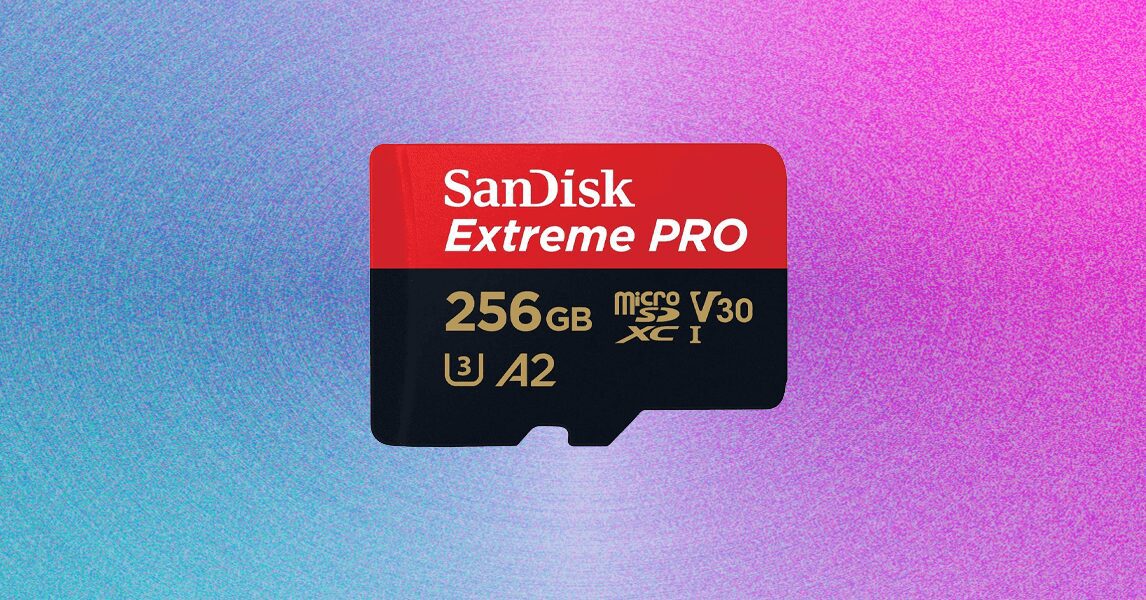
For most people, the SanDisk Extreme Pro MicroSD with Adapter is a great option, offering good speed and reliability at a reasonable price. For Nintendo Switch 2 owners, the PNY MicroSD Express card is a good choice, despite being more expensive than comparable V30 cards. For original Switch owners, the SanDisk Micro SD Card for Nintendo Switch is a budget-friendly option that meets the console’s requirements.
Furthermore, when choosing a MicroSD card, consider the following tips:
- Check the device’s manual to see if it requires a specific type of MicroSD card.
- Look for a card with a good balance of speed and price.
- Consider the capacity you need, as well as the device’s compatibility.
Conclusion
In conclusion, choosing the right MicroSD card can seem overwhelming, but by considering the factors mentioned above, you can make an informed decision. Remember to check the device’s manual, look for a card with a good balance of speed and price, and consider the capacity you need. With the right MicroSD card, you can ensure that your device runs smoothly and efficiently.
Frequently Asked Questions
Here are some frequently asked questions about MicroSD cards:
- What is the difference between a MicroSD card and a MicroSD Express card? A MicroSD Express card is a newer, faster type of card that is designed for devices that require higher speeds, such as the Nintendo Switch 2.
- Do I need a MicroSD Express card for my device? It depends on the device. If you have a Nintendo Switch 2, you’ll need a MicroSD Express card to expand your console’s storage. However, if you have a different device, you may not need a MicroSD Express card.
- What is the best MicroSD card for my needs? The best MicroSD card for you will depend on your specific needs and device requirements. Consider the factors mentioned above, such as speed, capacity, and compatibility, to make an informed decision.
- Can I use a MicroSD card in any device? No, not all devices are compatible with MicroSD cards. Check your device’s manual to see if it supports MicroSD cards and what type of card it requires.
- How do I choose the right MicroSD card for my camera? When choosing a MicroSD card for your camera, consider the camera’s requirements, such as the minimum speed and capacity needed. Additionally, look for a card with a good balance of speed and price, and consider the device’s compatibility.








