
What’s New in Calibre 9.6?
E-book lovers, take note: Calibre 9.6 is here with a wave of improvements that streamline your reading experience. Released just two weeks after version 9.5, this update focuses on enhancing search functionality, refining the bookshelf view, and adding support for new news sources. Whether you’re a casual reader or a power user, these changes are designed to make managing your digital library faster and more intuitive.
Enhanced Search and Bookshelf Features
Card-Based Full-Text Search Results
Calibre 9.6 introduces a modern card-based layout for full-text search results. Each card displays the book cover, title, and snippet of matching text, making it easier to identify the right book. For example, if you search for “climate change,” the results will highlight books where this term appears in the content.
Customizable Bookshelf Layout
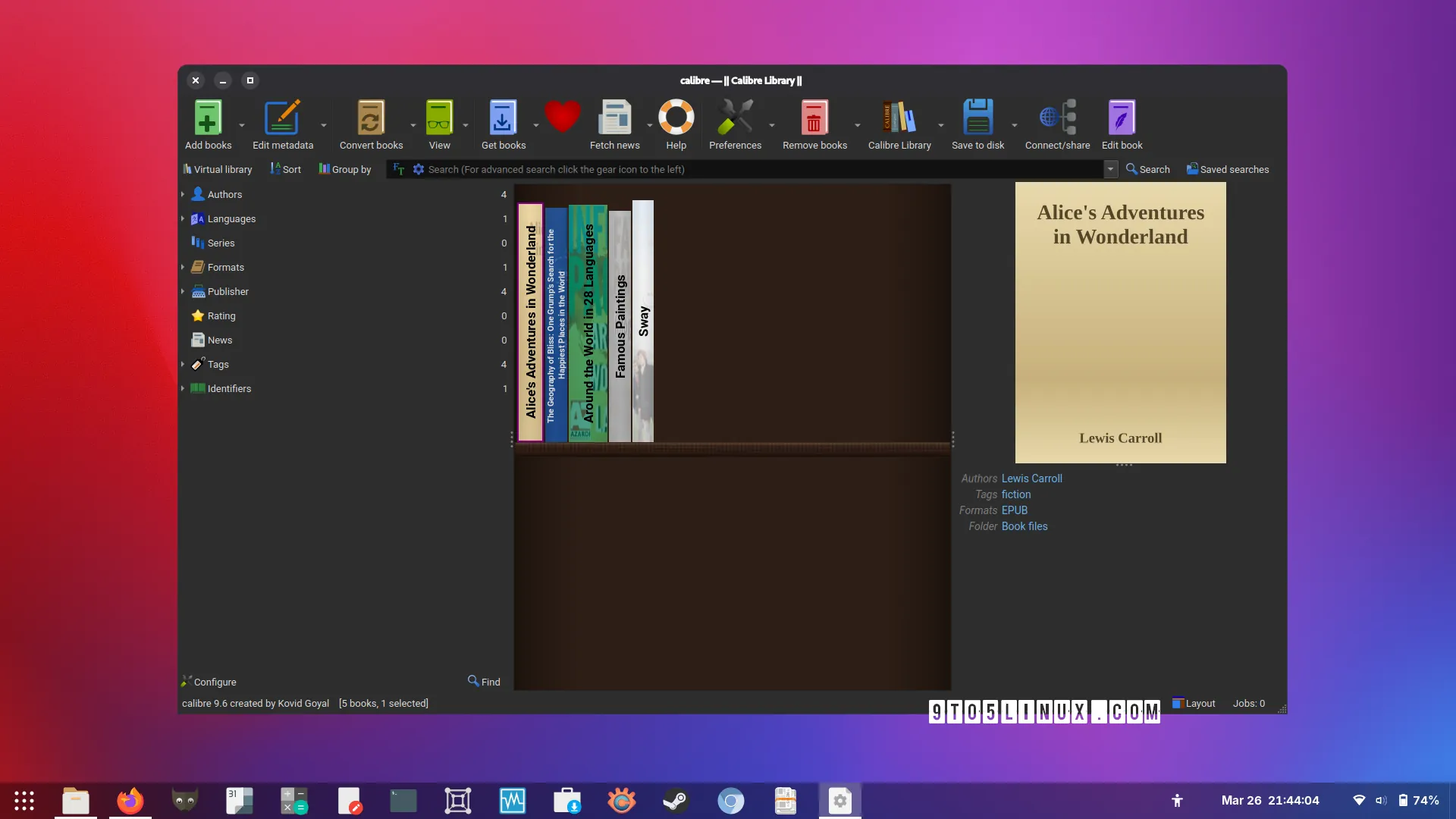
The Bookshelf view now lets you adjust book heights to remain consistent within groups. This tweak ensures a cleaner visual hierarchy, especially when organizing books by genre or author. Additionally, the Edit Book feature’s File list now supports Ctrl+Left/Right shortcuts to reorder items quickly.
New News Sources and Security Improvements
Expanded News Source Support
Calibre 9.6 adds support for French publications like L’Humanité, Le Parisien, and Telerama, while improving compatibility with existing sources such as Le Monde and Courrier International. This makes it easier to convert news articles into e-books for offline reading.
Security Fixes and Bug Resolutions
For security, the update disables background image loading from the internet in the E-book viewer. This prevents potential vulnerabilities. Several bugs have also been addressed, including a fix for skipped chapters when adjusting playback speed in the Piper speech backend and syncing issues for annotations on Android devices.
Practical Tips for Using Calibre 9.6
- Switch Search Views: Toggle between card-based and compact search results using the button next to the search bar.
- Use Word-Prefix Search: Type the first few letters of a word to find matches (e.g., “clim” for “climate change”).
- Organize Efficiently: Group books by height in the Bookshelf view for a cohesive layout.
Why Upgrade to Calibre 9.6?
Calibre 9.6 isn’t just a minor update—it’s a significant leap forward for digital book management. The new search interface, expanded news source support, and security fixes make it a must-have for anyone who values efficiency and safety. Developers have also optimized performance by applying changes only when new values differ from existing ones, reducing unnecessary processing.
Download and Start Exploring
Ready to experience these improvements? Head to the Calibre website to download version 9.6 for free. Whether you’re managing a personal library or curating news articles, this update ensures your workflow stays smooth and secure.








