
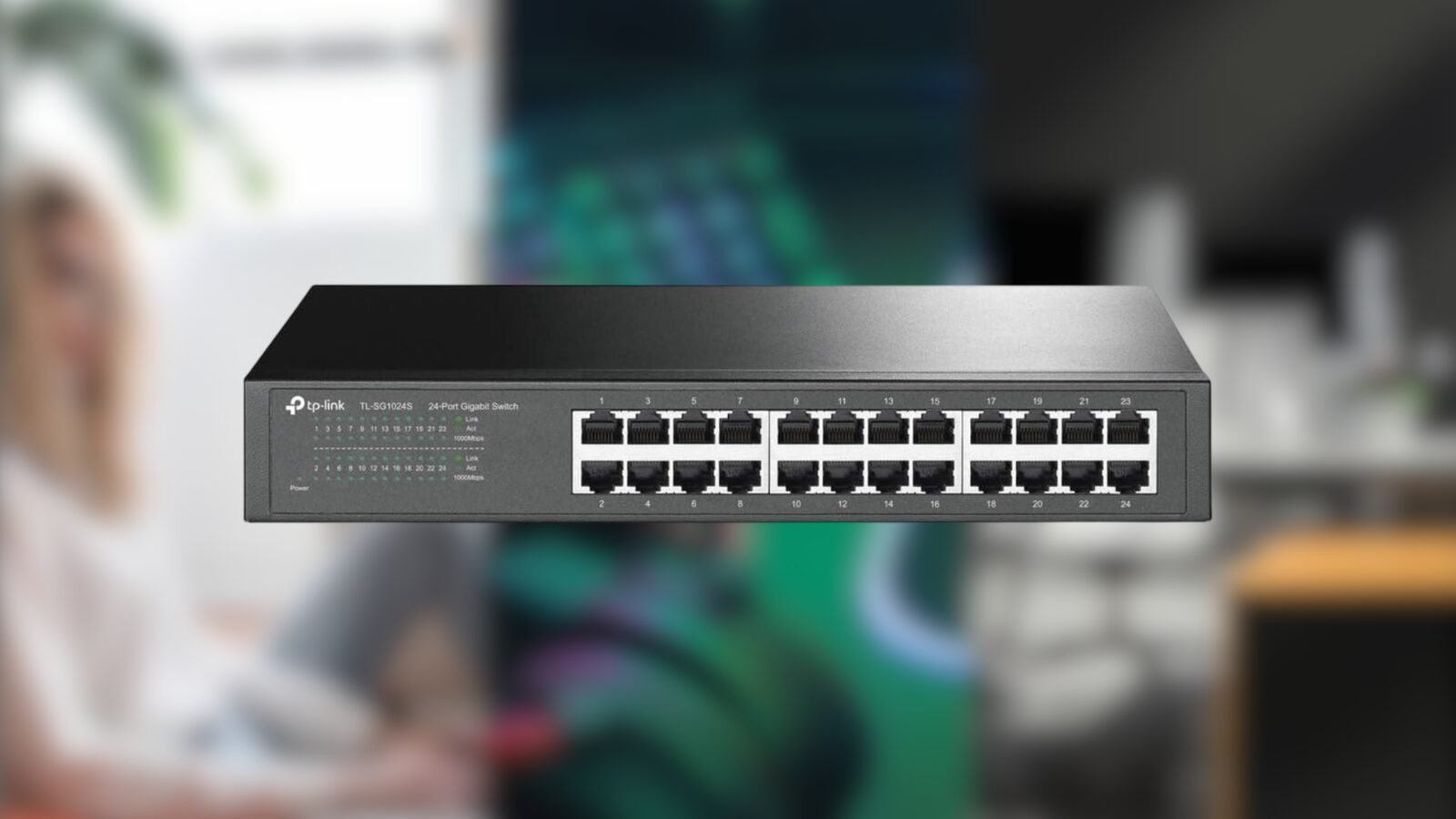
Cheap Home Lab Upgrade: 24-Port Switch for Tech Enthusiasts
Looking to upgrade your home lab without breaking the bank? A 24-port switch might just be the budget-friendly solution you’ve been searching for. Whether you’re managing a small network or experimenting with virtual machines, this hardware can transform your setup. Let’s dive into why it’s a game-changer for home labs.
Why the 24-Port Switch is the Ultimate Cheap Home Lab Upgrade
Home labs often require reliable connectivity for multiple devices. A 24-port switch offers the perfect balance of affordability and performance. Unlike pricier alternatives, it delivers seamless data transfer and scalability without the need for complex configurations. Here’s how it stacks up:
Key Benefits of a 24-Port Switch
- Affordability: Costs significantly less than enterprise-grade switches.
- Scalability: Supports up to 24 devices, ideal for growing home networks.
- Low Latency: Ensures smooth communication between servers, storage, and VMs.
When to Choose a 24-Port Switch
Opt for this switch if you:
- Run a home lab with 10–20 devices.
- Need gigabit speeds for virtualization or media streaming.
- Want to avoid the complexity of managed switches.
How to Maximize Your Cheap Home Lab Upgrade
Getting the most from your 24-port switch requires smart setup. Here’s a quick guide:
Step 1: Choose the Right Model
Look for unmanaged switches with gigabit ports. Brands like TP-Link and Netgear offer budget-friendly options with solid performance. Avoid models with unnecessary features like VLAN support unless you need them.
Step 2: Connect Strategically
Plug in your primary devices first—NAS, servers, and routers. Reserve extra ports for future expansions. Use short Ethernet cables to reduce clutter and improve airflow in your lab space.
Step 3: Monitor Performance
Use free tools like Wireshark or NetSpeedMonitor to track bandwidth usage. This helps identify bottlenecks and ensures your switch handles traffic efficiently.
Real-World Use Cases for Your 24-Port Switch
Home labs aren’t just for hobbyists. Here’s how professionals leverage this hardware:
1. Software Development
Developers use 24-port switches to test microservices in isolated environments. The switch’s low latency ensures consistent performance during CI/CD pipelines.
2. Cybersecurity Training
Security enthusiasts build honeypots or penetration testing labs. A 24-port switch provides the connectivity needed to simulate real-world network attacks safely.
3. Media Streaming
Home theaters benefit from dedicated switches for 4K streaming. By separating media traffic from other devices, you avoid buffering and lag.
Final Thoughts: Is a 24-Port Switch Worth It?
If you’re building or expanding a home lab, a 24-port switch is a no-brainer. It’s affordable, reliable, and future-proofs your network for years. For under $100, you gain the tools to experiment, learn, and innovate—all without the overhead of expensive gear.
FAQs About the Cheap Home Lab Upgrade
1. Is a 24-port switch a good cheap home lab upgrade?
Absolutely. It’s cost-effective, easy to set up, and supports most home lab needs without compromising performance.
2. Can I use a 24-port switch for gaming?
Yes, but ensure your switch supports gigabit speeds. This minimizes lag and ensures smooth online gameplay.
3. How many devices can a 24-port switch handle?
Up to 24 devices simultaneously. Reserve 2–3 ports for future expansions.
4. Do I need a managed switch for a home lab?
Unmanaged switches work for most home labs. Managed switches are overkill unless you need advanced features like QoS.
5. What’s the best brand for budget-friendly switches?
TP-Link and Netgear offer reliable, affordable options. Check user reviews to compare models.
Published Feb 26, 2026, 9:18 PM EST by Timi Cantisano








