
Create Memes on Linux with Memerist – No AI Needed
Is the classic image meme dead? Or just buried under AI-generated nonsense? Meet Memerist, a new open-source meme generator for Linux that brings simplicity and privacy back to meme creation. This lightweight tool lets you craft, edit, and export memes locally—no online accounts, watermarks, or AI gimmicks required.
What Makes Memerist Unique?
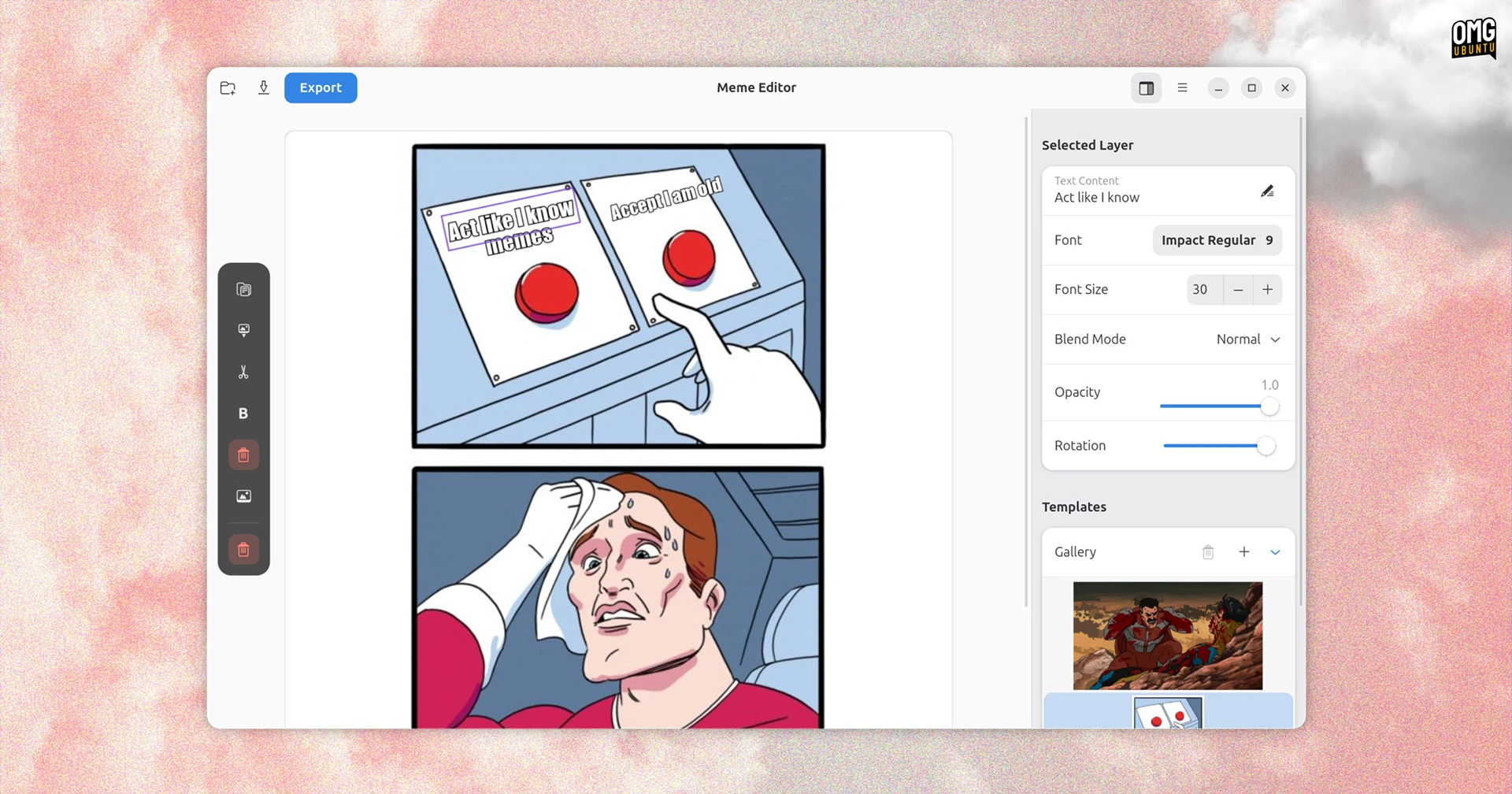
Memerist isn’t just another image editor. It’s a focused, GTK4-powered desktop app designed for Linux users who want to create memes quickly. Built with libadwaita, it offers a clean interface and essential tools for adding text, overlays, and effects to images. Best of all, it’s free, open source, and available on Flathub.
Key Features at a Glance
- Preloaded meme templates (e.g., "Two Buttons")
- Custom text editing with font, size, and opacity controls
- Drag-and-drop text and image overlays
- Export as PNG for crisp, lossless sharing
- Local-only workflow (no cloud uploads or AI filters)
Why Choose Memerist Over Online Tools?
Online meme generators often require accounts, add watermarks, or prioritize AI-generated content. Memerist sidesteps these issues entirely:
- No internet connection needed—edit offline anytime
- No privacy risks—your images stay on your device
- No bloat—lightweight at under 4MB
When Simplicity Wins
While tools like GIMP or Pinta can handle meme creation, they’re overkill for quick edits. Memerist’s narrow focus makes it ideal for:
- Adding text to photos
- Creating meme templates
- Exporting high-quality PNGs
It’s perfect for Linux users who want a no-fuss way to make memes without switching to Windows or macOS tools.
Getting Started with Memerist
Memerist is available on Flathub for Ubuntu and other Linux distros. Here’s how to install it:
- Open your terminal
- Run
flatpak install flathub com.github.joeyd.Snippet - Launch Memerist from your app menu
The app is currently at version 0.4.2, with active development on GitHub. If you tried it in December 2023, make sure to update to the latest release.
Final Thoughts: A Meme Generator for the Modern Linux User
Memerist proves that sometimes, less is more. By focusing on core meme-making features and avoiding AI-driven distractions, it delivers a fast, privacy-first experience. Whether you’re a casual meme creator or a Linux purist, this tool deserves a spot in your workflow.
Ready to make your next meme? Download Memerist from Flathub today and join the open-source movement.
FAQs
1. Can I use Memerist for non-meme images?
Absolutely! While it’s optimized for memes, you can edit any image file with text and basic effects.
2. Does Memerist support image scaling?
Not directly—scale images before importing them. The app focuses on text and overlay adjustments.
3. Is Memerist available for Windows or macOS?
Currently, it’s Linux-only. The team is considering cross-platform support in future updates.
4. How do I export my memes?
Memerist exports to PNG by default, ensuring no compression artifacts.
5. What’s the best Linux meme generator?
Memerist is the top choice for Linux users seeking a lightweight, open-source solution.








