
Introduction to Custom Profile Folders in Windows 11
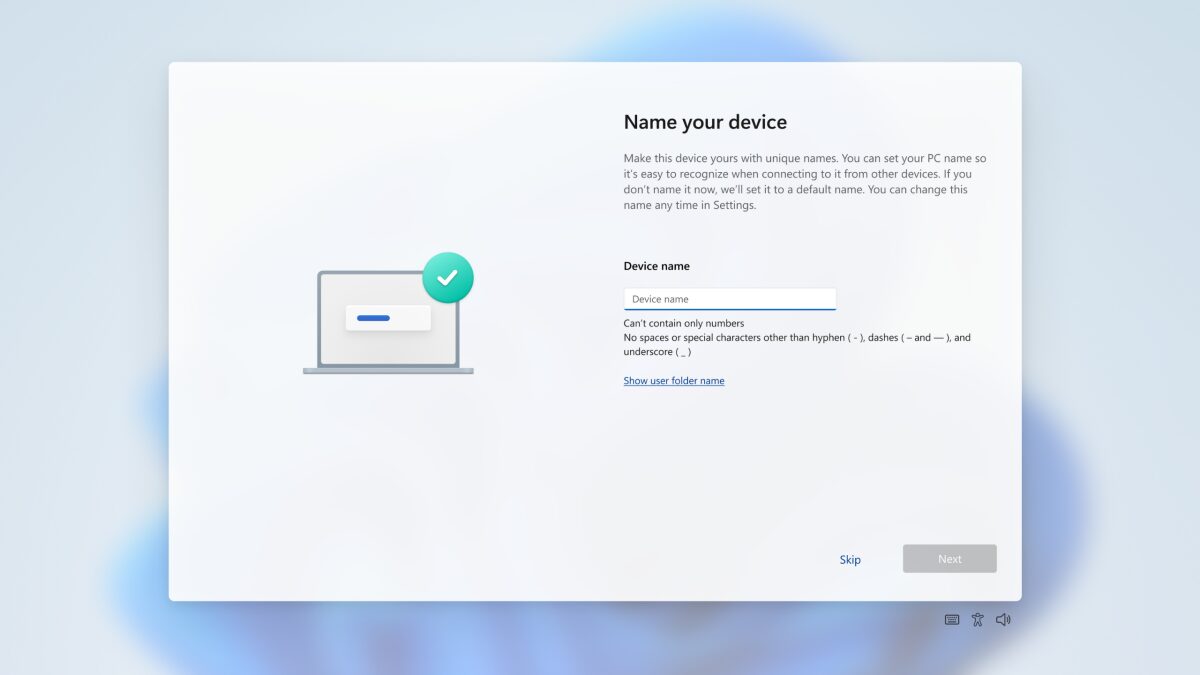
Microsoft has announced a significant update to its Windows 11 setup process, allowing users to choose a custom name for their profile folder during installation. This change addresses a common issue where folder names are cut off due to Microsoft account email or profile name limitations.
Meanwhile, the current system often produces short, sometimes confusing names in the C:\Users directory, which can be inconvenient, especially for those who use command-line tools or manage multiple profiles on the same machine. However, with this update, users will have more control over their profile folder names.
Choosing Your Profile Folder Name
Additionally, Microsoft’s updated Windows 11 setup adds a dedicated field that lets you type in a desired folder name. The system then creates your user directory using that name instead of automatically generating one from your account details. For example, if you want a folder name that matches your username or a specific identifier, you can now choose it during setup.
Furthermore, if you skip the new field, Windows keeps doing what it’s always done and creates the folder name from your Microsoft account. This ensures that users who don’t care about customizing their folder name can still have a seamless setup experience.
Benefits of Custom Profile Folders
Therefore, custom profile folders can be beneficial for several reasons. They can help with organization, especially for users who manage multiple profiles or use command-line tools. Moreover, custom folder names can make it easier to identify and access specific profiles, reducing confusion and saving time.
However, it’s essential to note that Microsoft is testing this change in Windows 11 Insider builds in the Dev and Beta channels and has yet to share a timeline for a broader rollout. Meanwhile, users can expect this feature to become available in future updates.
Conclusion and Future Updates
In conclusion, the ability to choose custom profile folder names in Windows 11 is a significant update that addresses a common issue. With this change, users will have more control over their profile folder names, making it easier to manage multiple profiles and use command-line tools. Finally, we can expect Microsoft to continue improving the Windows 11 setup process with more updates and features in the future.
Additionally, users can look forward to more customization options and improvements in future updates. For instance, Microsoft may add more features to the setup process, such as the ability to choose custom desktop backgrounds or themes. Meanwhile, users can provide feedback on the current update and suggest new features for future releases.
Call to Action
Therefore, if you’re interested in trying out the new custom profile folder feature, you can join the Windows 11 Insider program and test the latest updates. Meanwhile, you can also provide feedback on the current update and suggest new features for future releases. Finally, stay tuned for more updates on Windows 11 and its upcoming features.








