
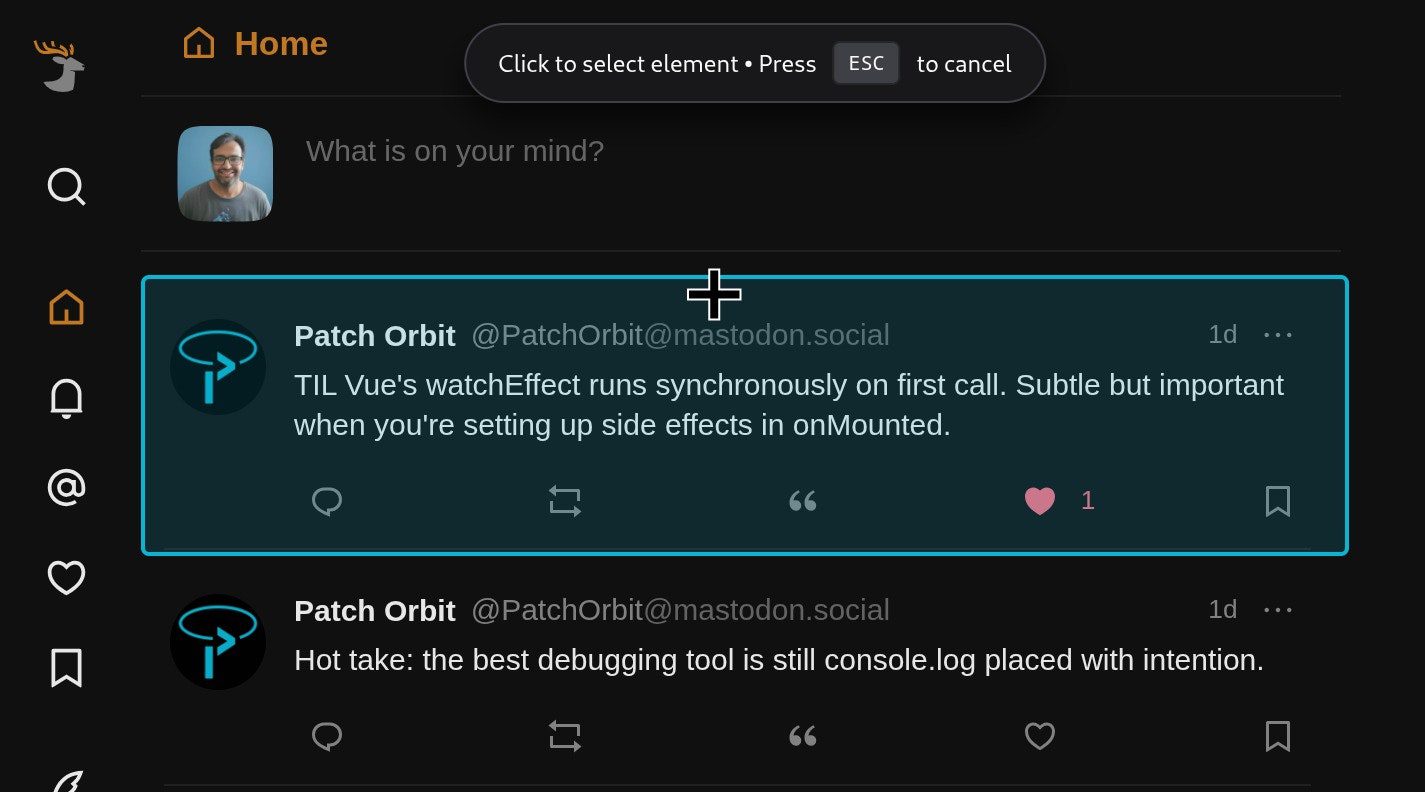
How Domscribe Solves the Code-to-UI Gap
Frontend developers know the frustration: asking an AI coding agent to tweak a button’s color or fix a layout issue often feels like playing a guessing game. The agent spends hours grepping files, reading candidates, and asking for confirmation—only to waste tokens on the wrong file. Domscribe eliminates this friction by creating a direct bridge between your code and the live UI.
Code to UI: Live DOM Insights
Traditional AI agents edit code blindly. They can’t see the frontend’s state or structure. Domscribe changes this by providing real-time DOM snapshots to your agent. When you query a file via MCP (Machine Communication Protocol), Domscribe returns:
- Live DOM structure
- Component props and state
- Exact element positions
No screenshots. No guesswork. Just precise data for your agent to act on.
UI to Code: Instant File Resolution
Click any element in the browser overlay, describe your change in plain English (“Make this button blue”), and Domscribe resolves the exact file:line:col location. This eliminates:
- Manual file searching
- Token waste on context building
- Back-and-forth confirmations
Your agent edits the right file on the first try.
Why Domscribe Stands Out
Unlike generic tools, Domscribe is built for framework agnosticism and developer flexibility. Key features include:
- Framework Support: React, Vue, Next.js, Nuxt, Svelte, Solid, Angular, and custom frameworks via adapters
- Bundler Compatibility: Vite, Webpack, Turbopack
- Agent Integration: Claude Code, GitHub Copilot CLI, Gemini CLI, Cursor
- Build-Time Stability: xxhash64 IDs ensure consistent mapping across builds
Open Source and Extensible
Domscribe’s MIT license empowers developers to:
- Build custom framework adapters
- Extend MCP tools
- Contribute to the core pipeline
First-party adapters for popular frameworks are already available:
@domscribe/react@domscribe/vue@domscribe/next@domscribe/nuxt
Real-World Use Cases
Domscribe excels in scenarios where speed and accuracy matter:
- Quick UI Edits: Fix padding, colors, or layout issues in seconds
- Debugging: Resolve component state mismatches instantly
- Agent Training: Teach AI agents to understand frontend context
FAQ: Common Questions About Domscribe
Does Domscribe Work With SVG or Canvas Elements?
Yes! SVG elements are treated as standard DOM nodes. Each <rect>, <path>, or <g> gets a data-ds ID mapped to its source location. For canvas-based UIs, Domscribe instruments the parent component, allowing you to resolve the correct file via the overlay.
Try Domscribe Today
Domscribe’s zero-runtime overhead and MIT license make it ideal for teams of all sizes. Whether you’re using React, Vue, or a custom framework, Domscribe’s architecture ensures seamless integration. Visit the Domscribe website to see demos and join the community. What’s your biggest pain point when using AI agents for frontend work? Share your feedback in the comments!








