
Fix in Cursor: Streamline GitHub PR Fixes in Seconds
Developers spend hours daily copying GitHub PR comments into tools like Cursor to address feedback. Fix in Cursor eliminates this friction with a simple “Fix in Cursor” button that auto-generates ready-to-use prompts. This Chrome extension bridges the gap between code reviews and fixes, saving time and reducing context switches.
How Fix in Cursor Works
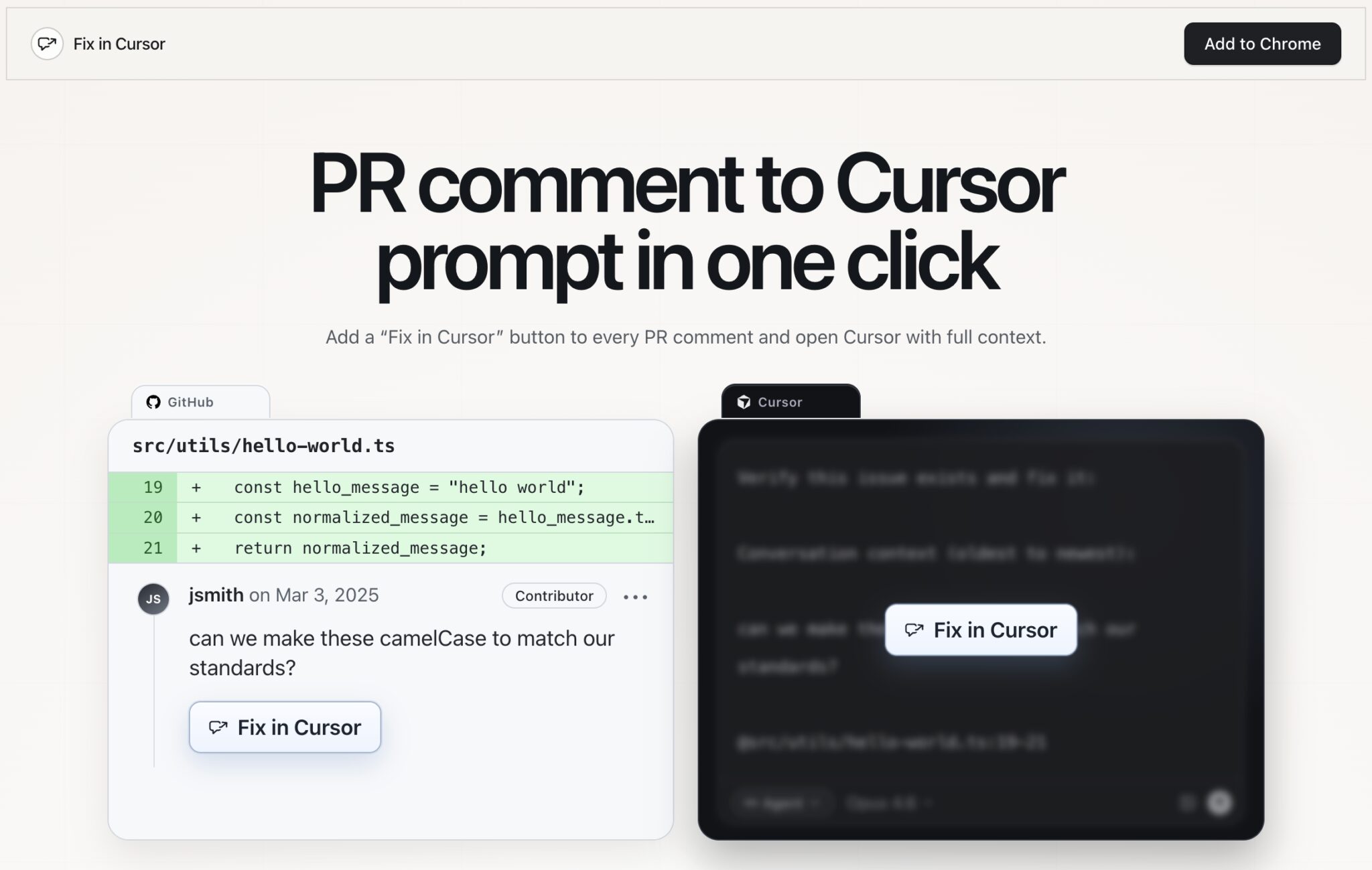
When you encounter a GitHub PR comment, click the “Fix in Cursor” button. The extension instantly opens Cursor with a prompt containing:
- The original comment text
- Surrounding code context
- A pre-written instruction like “Verify this issue exists and fix it”
This eliminates manual copy-pasting and ensures you start coding immediately. The tool mirrors Cursor’s native “Fix in Cursor” functionality but applies it to all PR comments, not just CursorBot reviews.
Key Features for Developer Productivity
Zero Manual Copying
No more switching between tabs to copy comments. The extension handles context extraction automatically.
Custom Prompt Templates
While the default prompt works well, the creator is exploring custom templates. This could let teams define standard instructions like “Implement a unit test for this fix” or “Add error handling.”
Seamless Integration
Fix in Cursor works directly within GitHub’s UI. Just install the Chrome extension and start using it on any PR comment.
Real-World Impact
Early adopters report significant time savings. One developer noted:
“This tool removes the tiny but cumulative friction of switching between GitHub and Cursor. It becomes muscle memory fast.”
For teams handling high-volume PR reviews, these micro-efficiencies add up to hours saved weekly.
Try Fix in Cursor Today
Visit fixincursor.com to install the Chrome extension. The creator actively engages with users on Product Hunt, responding to questions and gathering feedback.
FAQs
- How does Fix in Cursor improve GitHub PR workflows?
- It automates the process of creating Cursor prompts from PR comments, reducing manual steps and context switching.
- Is Fix in Cursor free to use?
- Yes, the extension is available at no cost through the Chrome Web Store.
- Can I customize the prompt templates?
- Currently, all prompts use the default template, but the developer is considering adding custom template options.
- Does Fix in Cursor work with private GitHub repositories?
- Yes, the extension functions regardless of repository visibility settings.
- How secure is Fix in Cursor?
- The tool only accesses data you interact with in GitHub and doesn’t store any information.
For developers who spend significant time in GitHub PRs, Fix in Cursor offers a simple but powerful productivity boost. Try it today and reclaim those lost minutes!








