
Introduction to Python Async Programming
Python applications often spend significant time waiting on APIs, databases, and network services. Async programming allows your code to pause during these waits and continue executing other tasks, dramatically improving efficiency. This guide will walk you through the fundamentals of async programming in Python using clear examples and practical insights.
Why Use Async Programming?
Async programming is ideal for I/O-bound tasks where waiting dominates execution time. By using async and await, you can write non-blocking code that handles multiple operations concurrently. This approach is particularly useful for:
- Concurrent API requests
- Background task processing
- Real-time data streaming
Core Concepts in Python Async
1. Coroutines with async def
The async def keyword defines a coroutine, which is a special function that can pause and resume execution.
2. The Event Loop
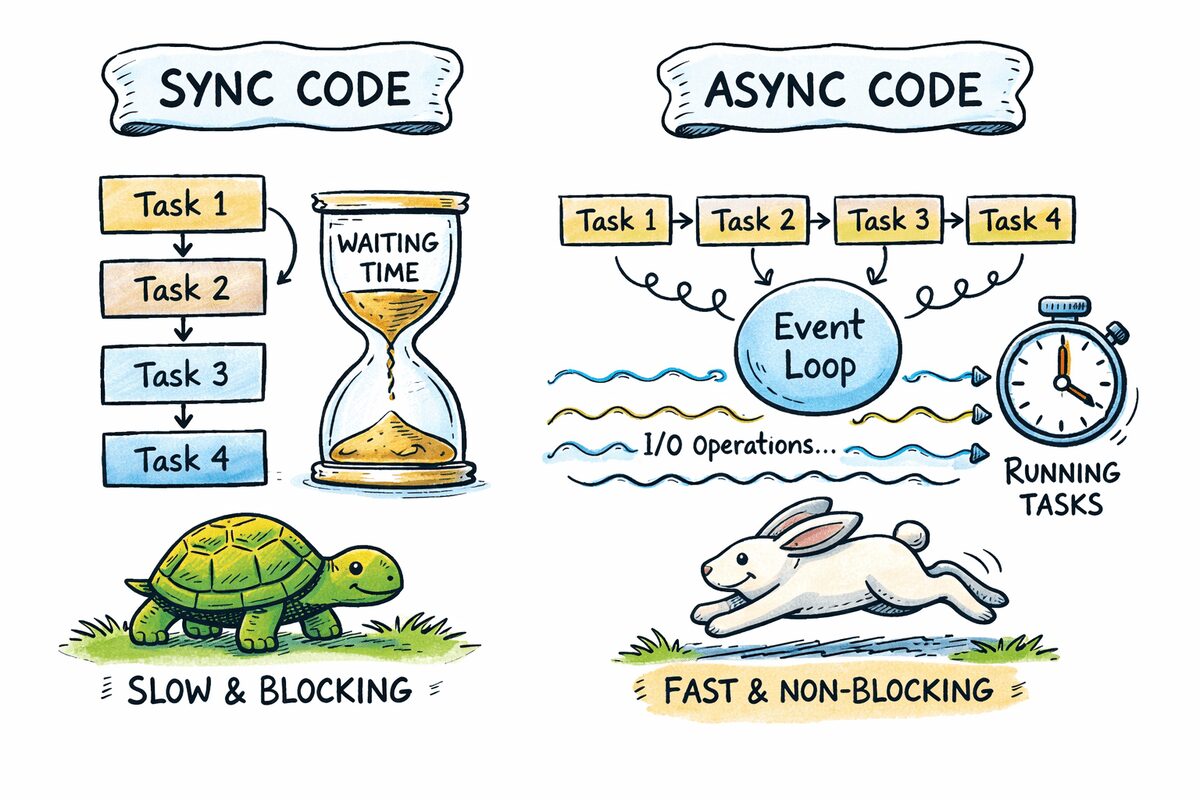
The event loop manages asynchronous tasks, switching between them when they reach await points. Python’s asyncio library provides the standard event loop implementation.
Async vs. Sequential Execution
Sequential Blocking Example
Sequential code runs tasks one after another, blocking the program during I/O waits:
import time

def download_file(name, seconds):

print(f"Starting {name}")

time.sleep(seconds)

print(f"Finished {name}")
This approach takes 6 seconds for three 2-second tasks.
Asynchronous Concurrent Example
Async code uses await to pause individual tasks, allowing others to run:
import asyncio

async def download_file(name, seconds):

print(f"Starting {name}")

await asyncio.sleep(seconds)

print(f"Finished {name}")
Using asyncio.gather, the same tasks complete in ~2 seconds:
async def main():

await asyncio.gather(

download_file("file-1", 2),

download_file("file-2", 2),

download_file("file-3", 2),

)

asyncio.run(main())
Practical Async Patterns
1. Using await Correctly
Always use await with coroutines to enable concurrency:
async def task():

await asyncio.sleep(1)  # Correct
2. Running Multiple Tasks with asyncio.gather
This function schedules coroutines to run concurrently and collects their results:
async def job(job_id, delay=1):

print(f"Job {job_id} started")

await asyncio.sleep(delay)

print(f"Job {job_id} finished")

return f"Completed job {job_id}"
Conclusion and Next Steps
Async programming unlocks significant performance gains for I/O-bound Python applications. By mastering async, await, and the event loop, you can build scalable, efficient systems. Start experimenting with small projects, and gradually apply these patterns to real-world workflows.








