
Google Maps’ AI-Powered Navigation Redefines Travel
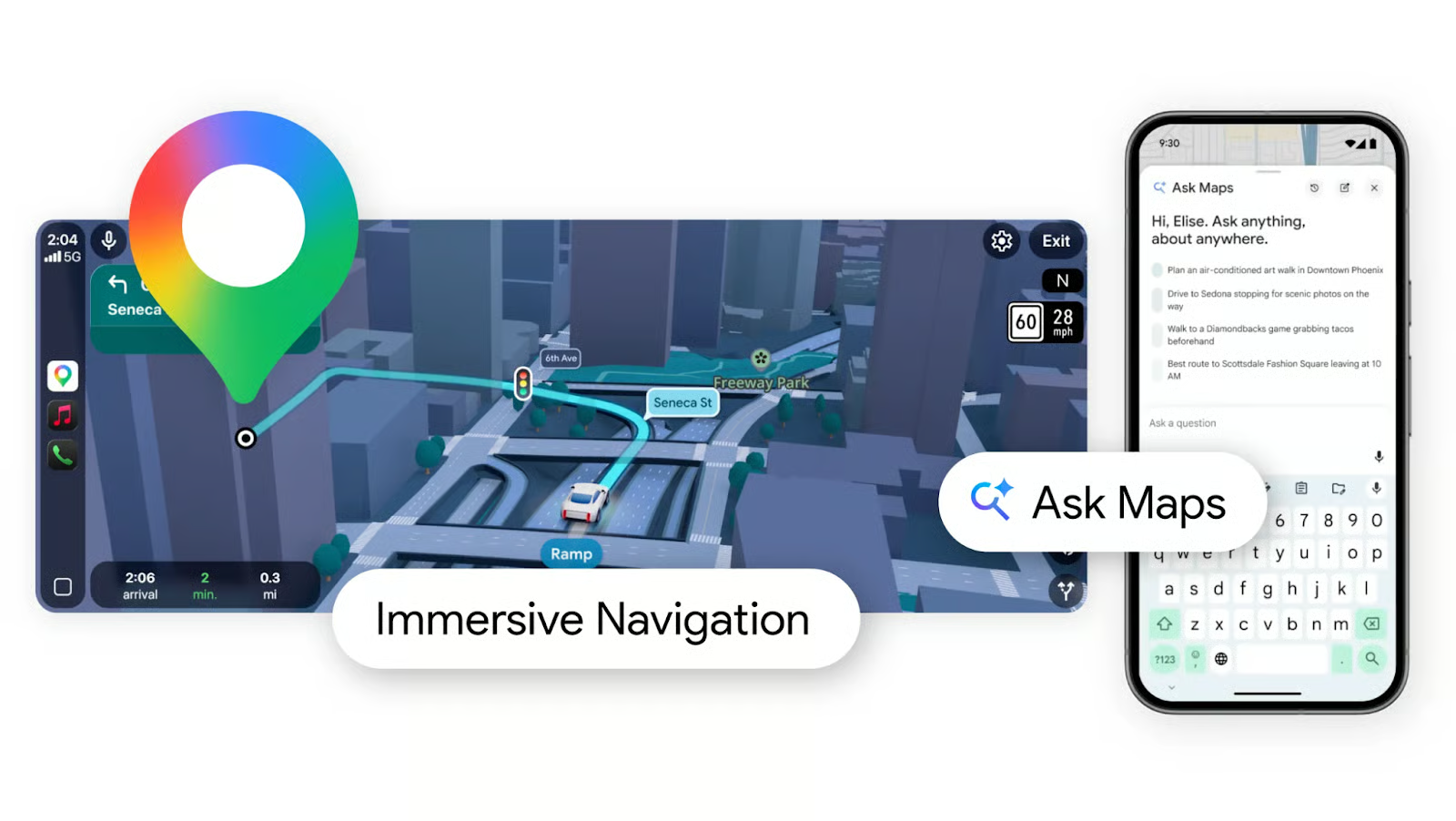
Remember the days of fumbling with paper maps, recalculating routes when traffic hit, or scrambling to find a last-minute coffee shop? Google Maps is about to make those frustrations obsolete. On March 12, 2026, Google launched its most transformative update in over a decade: AI-powered navigation. This overhaul introduces features like Immersive Navigation and “Ask Maps,” blending real-time data with conversational AI to simplify travel for millions.
What’s New in Google Maps’ AI-Powered Navigation?
The update centers on three groundbreaking tools:
1. Immersive Navigation: Your Personal Travel Guide
- 3D Visuals: Streets, landmarks, and turn-by-turn directions appear in lifelike 3D, reducing confusion in complex intersections.
- Dynamic Adjustments: The AI continuously monitors traffic, weather, and road closures to reroute you instantly.
- Multi-Stop Planning: Add multiple destinations in one trip, and the AI optimizes the most efficient path.
2. Ask Maps: Conversational Travel Planning
Forget typing fragmented searches. “Ask Maps” lets you ask natural questions like:
- “Where can I find a vegan restaurant near my route?”
- “Show me gas stations with the cheapest prices ahead.”
- “What’s the fastest way to get to the airport with traffic?”
The AI processes context, your preferences, and real-time data to deliver tailored answers.
3. Real-Time Travel Insights
Google’s AI now predicts delays before they happen. For example, if a construction zone is 10 miles ahead, the app proactively suggests an alternate route and estimates the time saved.
Why This Update Matters for Everyday Travelers
Google’s AI-powered navigation isn’t just flashy—it solves real problems:
- Time Savings: A 2024 study found 30% of drivers waste 15+ minutes daily due to poor navigation. This update aims to cut that in half.
- Stress Reduction: Features like voice-guided turn-by-turn directions and hazard alerts (e.g., “Watch for potholes on 5th Ave”) make driving safer and smoother.
- Local Discovery: The AI surfaces hidden gems—like a family-owned bakery on your route—based on your preferences and reviews.
How to Start Using AI-Powered Navigation
1. Update your Google Maps app to version 12.0 or later.
2. Tap the “Ask Maps” button and type or speak your request.
3. Enable “Immersive Navigation” in Settings under “Navigation Mode.”
What’s Next for Google Maps?
Google hints at future integrations with self-driving cars and AR glasses, where navigation could project directions directly onto your field of view. For now, the AI-powered navigation update is a game-changer—proving that even the most mundane tasks can become smarter with the right technology.
Ready to experience the future of travel? Open Google Maps today and let AI handle the planning. Your next trip might just be the smoothest yet.








