
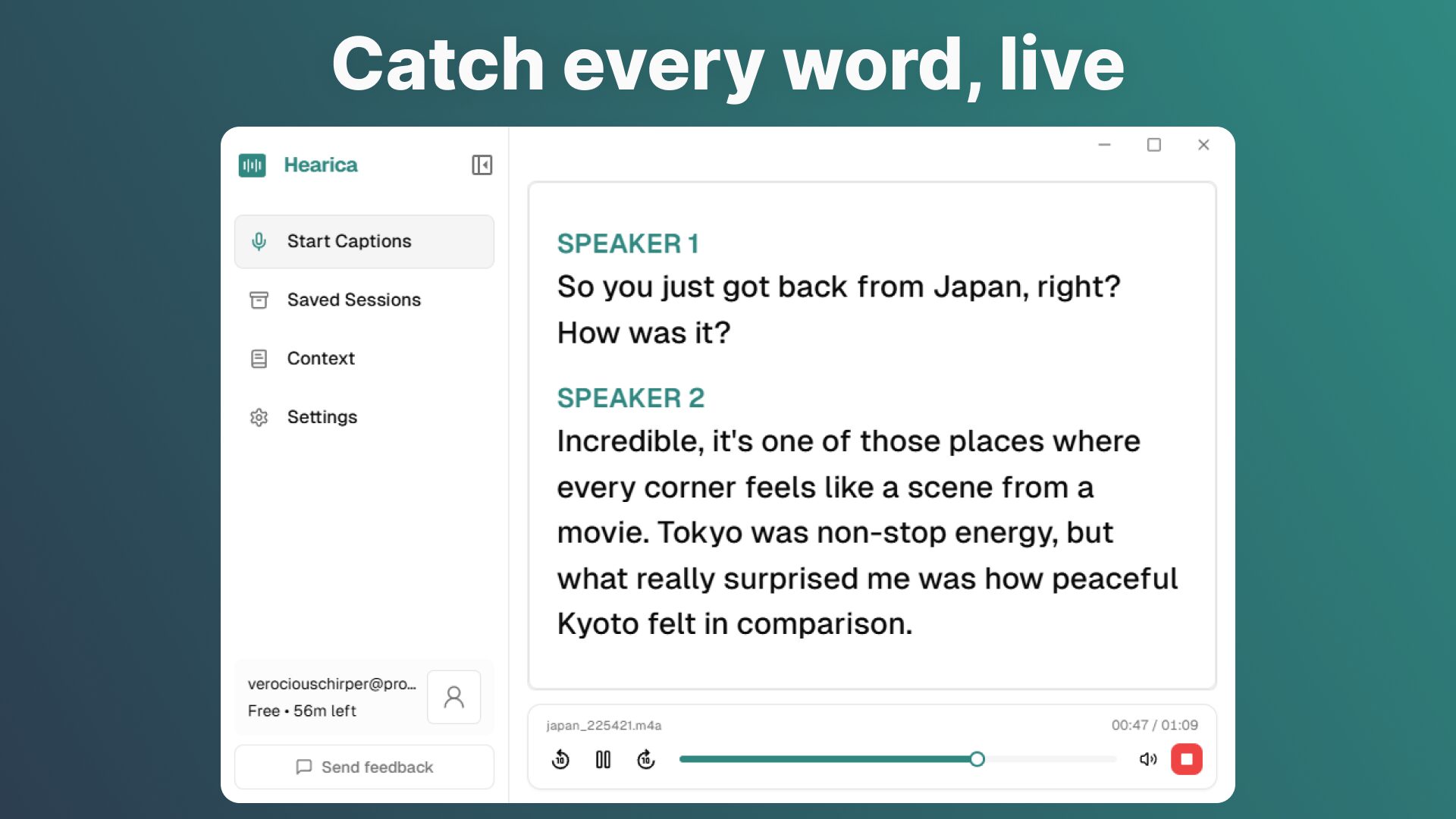
Hearica: Real-Time Captioning Tools for Everyone
Imagine missing critical details during a video call because captions only work in one app. Or struggling to follow a lecture due to accents and jargon. These scenarios highlight a gap in accessibility that real-time captioning tools like Hearica are solving. This floating overlay tool transcribes audio across your entire computer—calls, videos, and voice chats—while offering translation, customization, and accuracy boosts through context.
How Hearica Works
Unlike traditional captioning apps limited to specific platforms, Hearica operates system-wide. It captures audio from any source and displays real-time captions in a customizable window. The tool leverages cloud processing for speed and accuracy, with features like:
- 60+ language translation for multilingual conversations
- Contextual prompts (e.g., “Medical lecture”) to improve transcription
- Export options for saved audio and captions
Why System-Wide Captioning Matters
Most tools require switching apps to access captions. Hearica eliminates this friction by working seamlessly across Zoom, YouTube, Slack, and more. For users with hearing loss or language barriers, this universal approach ensures no word is missed.
Key Features of Hearica
- Real-Time Accuracy: Outperforms built-in OS transcription models
- Custom Context: Add notes to refine captions for technical or niche topics
- Translation: Instantly switch between 60+ languages during calls
Use Cases
Hearica excels in scenarios where traditional tools fall short:
- Remote team meetings with multiple speakers
- Language learning through live captioning
- Accessibility for deaf or hard-of-hearing users
Try Hearica Today
Available for Windows with macOS support coming soon, Hearica is a passion project by Andrius Pamakstys. The tool evolved from an open-source project to a polished solution for real-time captioning needs. Visit the website to test accuracy with their demo tool or explore pricing plans.
FAQs
- How do real-time captioning tools like Hearica handle accents?
- Hearica uses advanced speech-to-text models and allows users to add context (e.g., “British English”) to improve accuracy for accents and jargon.
- Can I use Hearica for video lectures?
- Yes—add context like “Medical lecture” to enhance transcription accuracy for specialized content.
- Is Hearica compatible with remote calls?
- It works across platforms like Zoom, Microsoft Teams, and Slack for seamless captioning during virtual meetings.
- How does Hearica compare to YouTube auto-captions?
- Hearica offers higher accuracy and supports 60+ languages, making it ideal for complex or multilingual conversations.
- Can I export captions for later use?
- Yes—save and replay audio with captions, or export text for documentation and review.








