
How to Organize Tech and Purge Cable Clutter
Let’s face it: your tech collection is a mess. Cables snaking across floors, boxes of forgotten gadgets, and tangled wires hiding in drawers—it’s a chaotic reality for gadget lovers. But there’s hope. With a few smart strategies, you can transform your tech chaos into organized simplicity. Let’s dive into practical steps to sort, store, and say goodbye to the clutter.
Start With Your Box of Random Cables
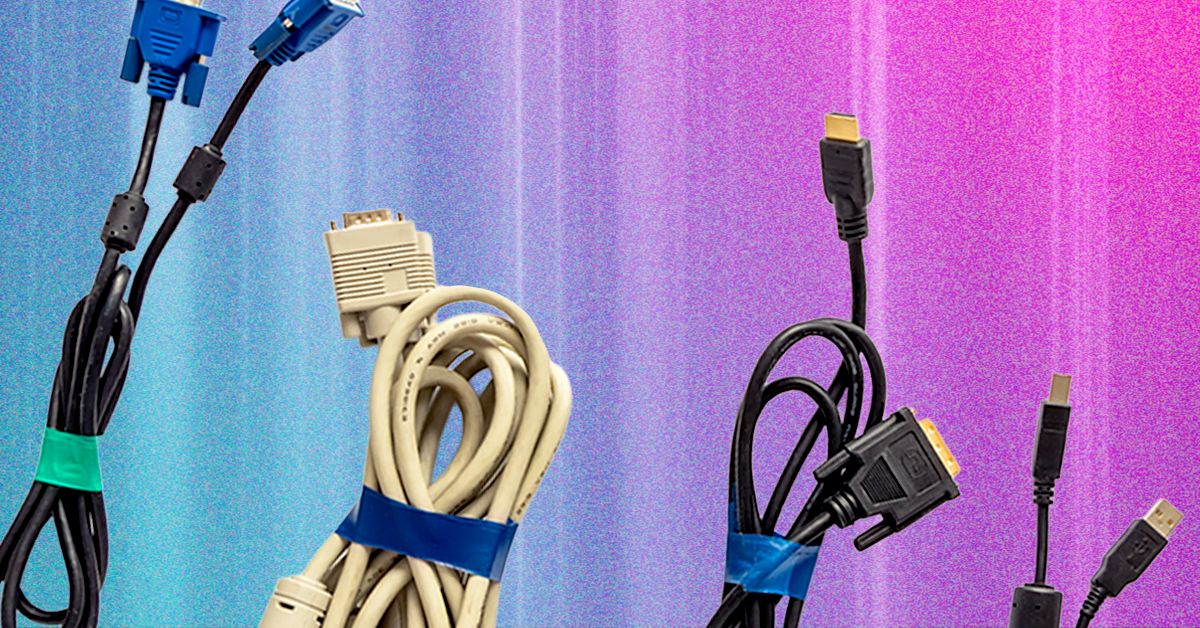
If you don’t know what it is, you’re not allowed to keep it. That mysterious box of cables under your desk? It’s the heart of your tech disarray. Chances are, you’ll never use that ancient Nokia charger or that printer cable from 2010. Start by unboxing everything and sorting cables into piles by type—HDMI, USB-C, Micro USB, etc.
Use cable ties or rubber bands to roll up cords neatly. For storage, repurpose takeout containers or buy labeled bins. A pack of 60 cable ties ($7) is a game-changer for keeping things tidy. Label each container clearly. For example: “USB-A to Micro USB” or “Ethernet Cables.”
Pro Tip: The 10-Second Rule
- Untangle cables one by one.
- Discard anything you can’t identify.
- Wrap cords loosely to avoid kinks.
Sort Boxes, Manuals, and Accessories
Gadgets come with accessories, manuals, and setup codes you’ll need later. If you’re keeping the device, store the original box with all its contents. This makes resale easier and ensures you don’t lose critical components. If space is tight, decant items into smaller containers and label them.
For digital backups, photograph manuals and QR codes. A clear photo of a setup code works just as well as the original. This digital archive saves you from digging through boxes when you need something urgently.
Storage Solutions
Use sealable plastic tubs for small devices like phones. For larger items like PC components, anti-static bags protect sensitive gear. Pairing gadgets with their original boxes and accessories adds value when you’re ready to pass them on.
Back Up and Wipe Old Gadgets
Before storing or donating old devices, back up any data you might need. Use cloud storage or an external drive to preserve photos, files, or documents. Then, factory reset the device to protect your privacy.
Here’s why this matters: imagine digging out a forgotten phone only to realize it’s still linked to your old account. Wiping devices now saves you from future headaches. Follow guides to reset phones, computers, or tablets properly.
Quick Checklist for Wiping Devices
- Back up data to the cloud or an external drive.
- Remove the device from your accounts (e.g., Apple ID, Google Account).
- Perform a factory reset.
- Scrub the device physically with a microfiber cloth.
Organize Your Storage Space
Once sorted, categorize gadgets into zones. Group similar items—phones, routers, cameras—and store them in labeled boxes. Future you will thank you for this. Use a spreadsheet or text doc to track where everything is. For example: “Loft, blue box, gaming gear.”
Invest in storage furniture like the IKEA Kallax unit ($100). It’s versatile, stackable, and perfect for bins, drawers, and shelves. If you need lockable options, check office supply stores—they often have heavy-duty, mobile storage units ideal for tech.
Label Everything
Write labels directly on boxes with a Sharpie or use sticky notes. A visible inventory taped to the side of a bin saves time. No more emptying bins to find that one charger you need!
Just Get Rid of It
Some items are better off gone. If a gadget hasn’t been used in years, let it go. Sell it, donate it, or recycle it. The satisfaction of a clutter-free space is worth the effort.
When to Purge
- Broken or obsolete devices.
- Cables with damaged ends.
- Accessories you’ll never use (looking at you, 3.5mm headphone jack).
Conclusion: Reclaim Your Space
Organizing your tech isn’t just about aesthetics—it’s about reclaiming your time and sanity. Start with cables, sort gadgets into zones, and purge what you don’t need. With a little effort, you’ll create a system that keeps your tech life simple and stress-free. Ready to start? Grab a box, a label maker, and let’s get organized.








