
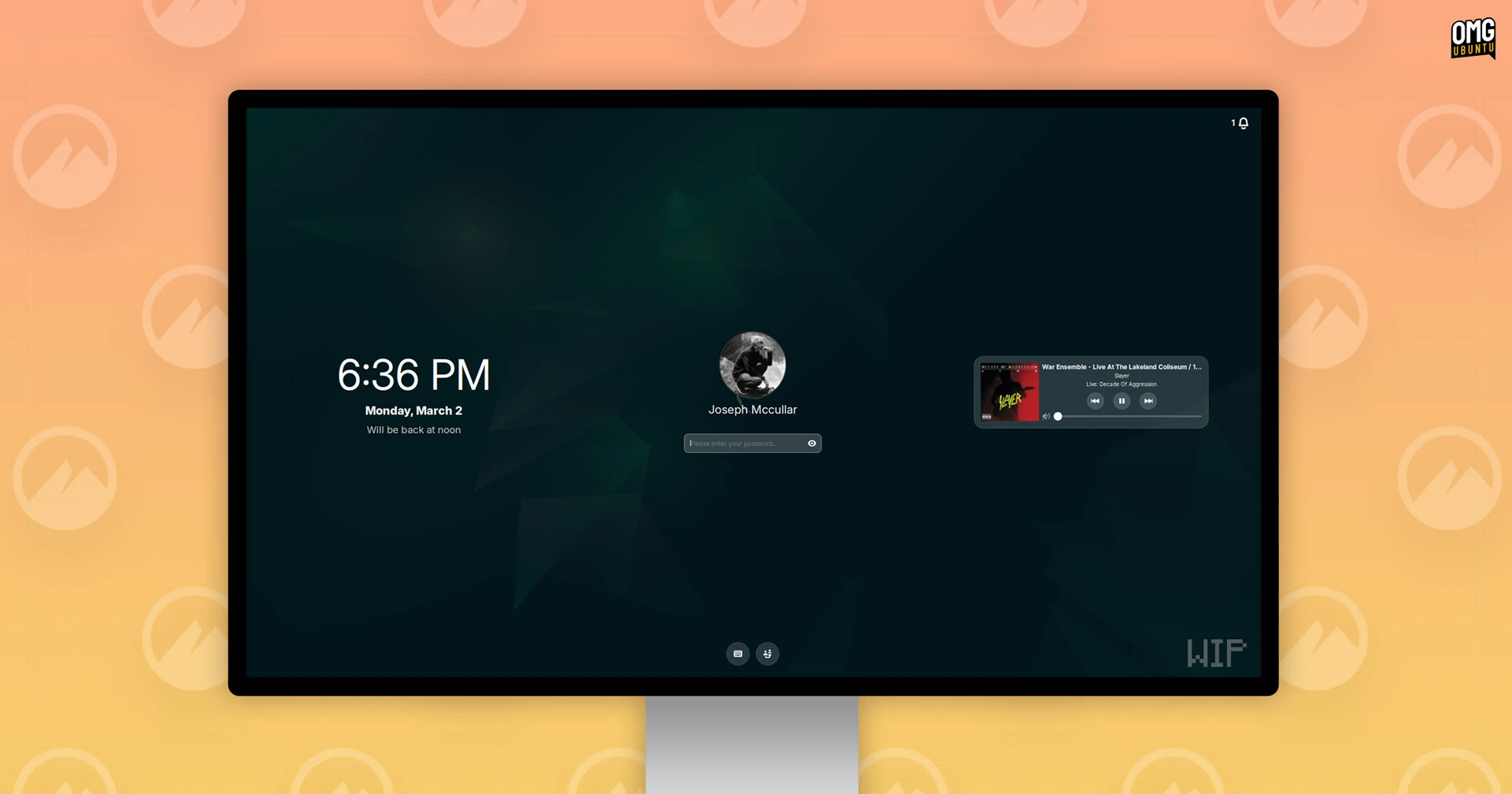
Linux Mint Lock Screen Redesign: A Native Wayland-Ready Upgrade
Linux Mint is shaking up the Cinnamon desktop experience with a redesigned lock screen and screensaver. This update isn’t just about aesthetics—it’s a strategic shift toward native integration and Wayland compatibility. Let’s break down what’s new and why it matters for users and developers alike.
Why a Native Lock Screen Matters
Until now, Cinnamon relied on a separate cinnamon-screensaver package to handle screen locking. This approach created a disjointed user experience and limited flexibility. The new design embeds lock screen functionality directly into the Cinnamon desktop environment. This means:
- Consistent UI/UX with the rest of the desktop
- Smaller memory footprint
- Improved performance and stability
Key Features of the Redesign
The updated lock screen introduces modern features while maintaining core functionality:
- Battery level, time, and date display
- Media player controls
- Unread notification counters
- Fingerprint unlock support
- On-screen keyboard toggle
- User switcher accessibility
Wayland Compatibility: The Future is Here
While Linux Mint defaults to Xorg/X11, the new lock screen is fully compatible with Wayland. This is a significant step forward for the project. Clement Lefebvre, Linux Mint’s lead developer, emphasizes that “Wayland support is about giving users options, not forcing a transition.”
Technical Benefits of Wayland
Wayland’s architecture offers several advantages:
- Enhanced security through better isolation
- Reduced input latency
- Improved GPU resource management
Privacy and Reliability Focus
Clement Lefebvre states, “Screensavers are very important. They need to look good, work well, and above all protect user privacy.” The team is conducting rigorous testing to ensure:
- No screen content leaks during lock
- Seamless transitions between desktop and lock screen
- Full compatibility with both Xorg and Wayland
Release Roadmap and Compatibility
The redesign will debut in Linux Mint 23, based on Ubuntu 26.04 LTS. The next Cinnamon release will maintain compatibility with the old screensaver as a fallback. The release after that will fully transition to the new system.
What This Means for Users
Users can expect:
- Same configuration options as before
- Gradual transition to the new system
- Improved visual polish and responsiveness
Conclusion: A Smarter Lock Screen for Modern Linux
Linux Mint’s lock screen redesign demonstrates the project’s commitment to modernization without sacrificing usability. By adopting a native approach and embracing Wayland, the team is future-proofing Cinnamon while delivering tangible benefits today. The new lock screen will appear in Linux Mint 23 later this year and in any distribution that adopts the next Cinnamon release.
FAQs
What are the key benefits of Linux Mint’s lock screen redesign?
The redesign offers native integration, Wayland compatibility, improved performance, and modern features like fingerprint unlock and media controls.
Will the new lock screen work with my current Linux Mint setup?
Yes—the new screensaver will maintain compatibility with existing configurations while offering a fallback option for the classic version.
How does Wayland support improve security?
Wayland’s architecture isolates applications better, reducing potential attack vectors and improving overall system security.
When will the redesigned lock screen be available?
The feature will debut in Linux Mint 23, expected later this year based on Ubuntu 26.04 LTS.
Can I use fingerprint unlock with the new lock screen?
Yes—fingerprint authentication is one of the new features being added to enhance user convenience.








