
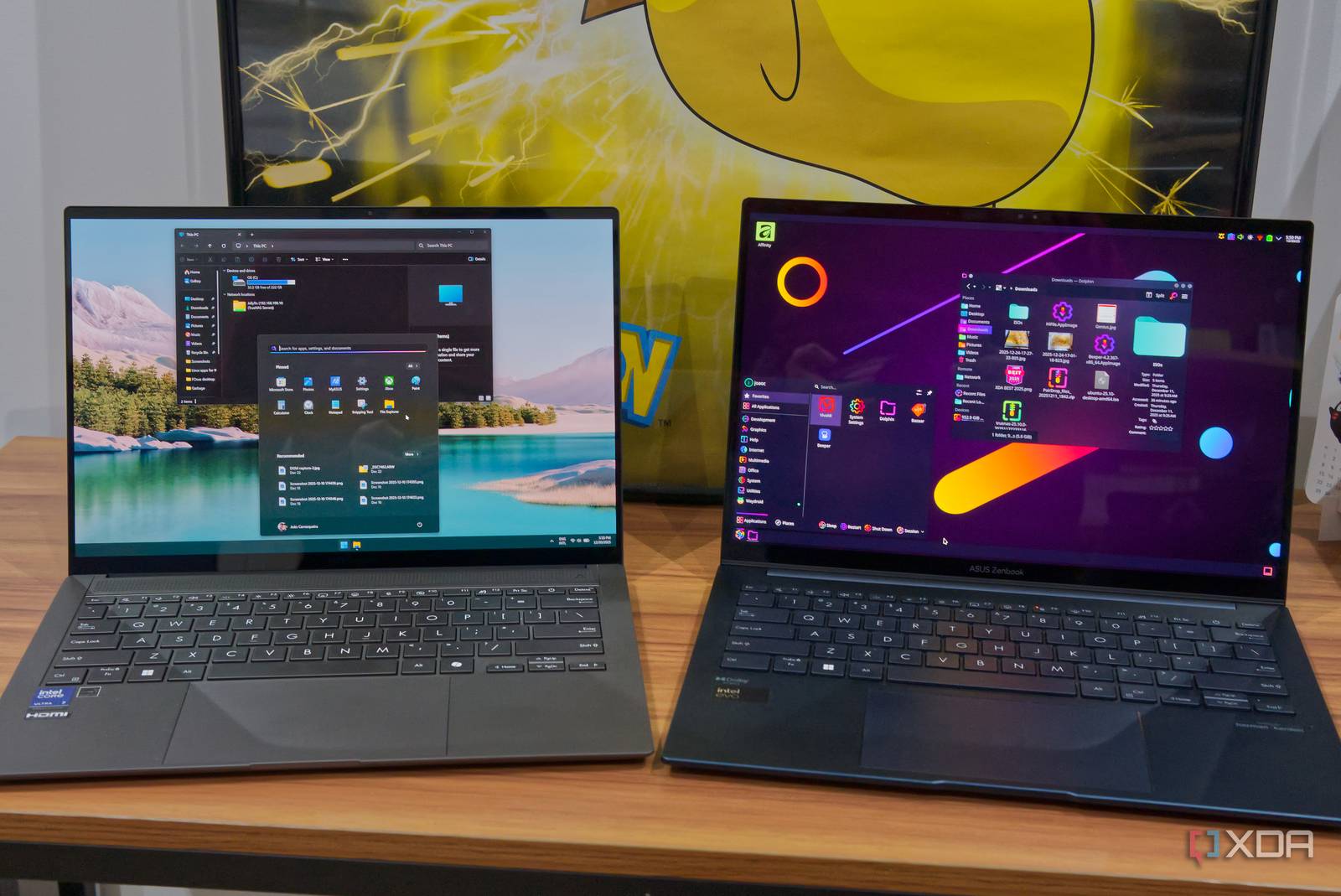
Linux Puts You in Charge: Tech Enthusiasts’ Ultimate Choice
Windows is undeniably convenient. Its polished interface, pre-installed software, and seamless hardware compatibility make it a go-to for casual users. But for tech enthusiasts who crave control, customization, and the freedom to tinker, Linux offers something Windows simply can’t: complete system ownership. This article explores why Linux puts you in charge and why it’s the ultimate choice for those who want to master their computing experience.
Why Linux Puts You in Charge
At its core, Linux is about empowerment. Unlike Windows, which locks users into predefined settings and proprietary software, Linux gives you the tools to shape your system exactly how you want it. From the kernel to the desktop environment, every layer is customizable. This flexibility isn’t just for developers—it’s for anyone who wants to build a computer that works for them, not the other way around.
Customization at Every Level
Linux’s open-source nature means you’re not limited to what the manufacturer provides. Want a lightweight OS for an old laptop? Use a distro like Lubuntu. Need a powerhouse for coding and server management? Try Ubuntu or Arch. With Linux, you choose your desktop environment (GNOME, KDE, XFCE), window manager, and even the shell you use. This level of control is unmatched in the Windows ecosystem.
Security and Stability Through Transparency
Linux’s open-source model also enhances security. Because the code is publicly accessible, vulnerabilities are identified and patched quickly by a global community of developers. Meanwhile, Windows’ closed-source approach means users must trust Microsoft to handle security updates. For tech-savvy users, Linux’s transparency is a major advantage—it lets you audit code, configure firewalls, and harden systems to your exact specifications.
Performance Tailored to Your Needs
Linux runs efficiently on hardware both old and new. A lightweight distro like Puppy Linux can breathe life into a decade-old PC, while a modern setup with ZFS file systems and Btrfs snapshots can optimize performance for high-end workstations. Windows, by contrast, often requires newer hardware to run smoothly. With Linux, you decide how resources are allocated—no bloatware, no unnecessary background processes.
Key Advantages of Linux Over Windows
Linux isn’t just about control—it’s about freedom. Here’s how it outshines Windows in practical terms:
- No Licensing Costs: Linux is free to use, modify, and distribute. This eliminates the need for expensive Windows licenses, especially for businesses or multi-device setups.
- Open-Source Ecosystem: Tools like LibreOffice, GIMP, and Blender offer powerful alternatives to Microsoft Office, Photoshop, and AutoCAD—all without subscription fees.
- Community-Driven Innovation: Linux benefits from a passionate global community. New features, drivers, and security patches are developed collaboratively, ensuring rapid iteration and adaptability.
Real-World Use Cases
Linux isn’t just for hobbyists. It powers everything from servers and supercomputers to embedded systems in smart TVs and IoT devices. For example:
- Web Hosting: 70% of web servers run Linux, thanks to its stability and scalability.
- Cloud Computing: Major cloud providers like AWS and Google Cloud rely on Linux for backend infrastructure.
- Development Workflows: Developers love Linux for its terminal tools, scripting capabilities, and compatibility with Docker and Kubernetes.
Getting Started with Linux
If you’re new to Linux, the learning curve might feel steep—but it’s worth the effort. Here’s how to begin:
Choose the Right Distro
Linux distributions (distros) cater to different needs:
- Ubuntu: Great for beginners, with a large community and user-friendly interface.
- Arch Linux: Ideal for advanced users who want full control over their system.
- Debian: A stable, community-driven distro perfect for servers.
Install and Experiment
Most distros offer a live USB option, letting you test Linux without installing it. This is a safe way to explore the OS and ensure compatibility with your hardware. Once comfortable, you can dual-boot Linux alongside Windows or replace Windows entirely.
Learn the Terminal
The Linux terminal is a powerful tool for automation, system management, and customization. Start with basic commands like ls, cd, and sudo, then progress to scripting with Bash or Python. Online resources like Linux Journey provide interactive tutorials for all skill levels.
Conclusion: Linux Puts You in Charge
Windows may offer convenience, but Linux gives you the keys to the kingdom. Whether you’re optimizing performance, securing your system, or building a custom workflow, Linux empowers you to take control. For tech enthusiasts, developers, and anyone who values freedom, Linux isn’t just an alternative—it’s the ultimate choice.
Ready to take charge? Try Linux today and discover the power of open-source computing.








