
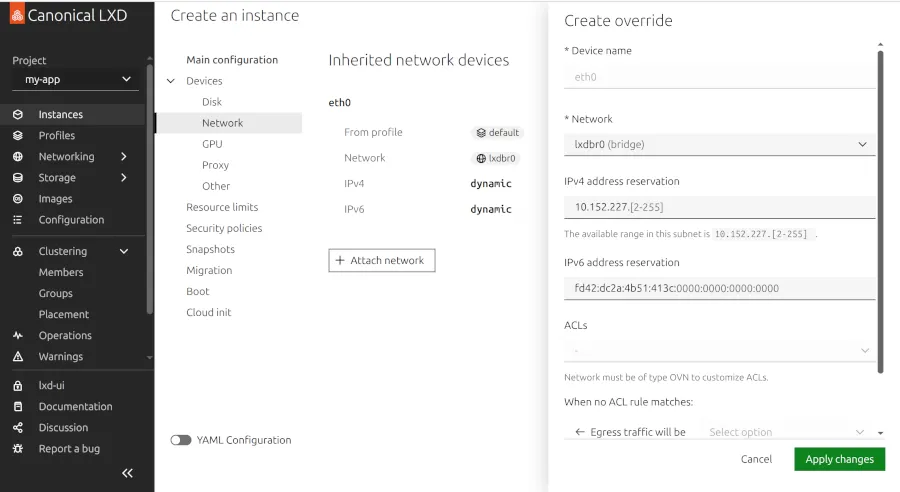
LXD 6.7 Launches with AMD GPU Passthrough Support
Canonical has officially released LXD 6.7, a major update to its container and virtual machine management tool. This version introduces groundbreaking AMD GPU passthrough capabilities, making it a game-changer for developers and data scientists relying on high-performance computing. Let’s break down what this update means for your workflows.
AMD GPU Passthrough: A New Era for Containers
LXD 6.7 now supports AMD GPU passthrough via the AMD CDI (Container Device Interface) toolkit. This feature allows containers to directly access AMD GPUs, bypassing traditional virtualization overhead. For example, deploying a machine learning model in a containerized environment becomes significantly faster and more efficient.
How It Works
- AMD CDI Integration: The update includes the AMD CDI container toolkit in the Snap package.
- Extension Support: A new “gpu_cdi_amd” extension configures GPU passthrough for LXD containers.
- Simple Command Setup: Use commands like
lxc config device add [instance_name] [device_name] gpu gputype=physical id=amd.com/gpu=0to assign GPUs.
Enhanced VM GPU Passthrough and Performance
Alongside container improvements, LXD 6.7 boosts VM GPU passthrough capabilities. The update leverages the latest QEMU and EDK2 versions, ensuring smoother performance for virtualized workloads. This is particularly beneficial for tasks like 3D rendering or GPU-accelerated simulations.
Key Benefits
- Reduced latency in GPU-intensive applications
- Improved compatibility with AMD hardware
- Scalable solutions for multi-GPU environments
Additional Features in LXD 6.7
While GPU passthrough steals the spotlight, this release includes several other enhancements:
- Cluster Storage Pool Recovery: Simplified recovery for clustered storage pools.
- Forced Instance Deletion: New API functionality for terminating unresponsive instances.
- Optimized State Retrieval: Faster access to instance status data.
- x86_64-v3 Support: Compatibility with advanced architecture variants.
Why This Matters for Developers
AMD GPU passthrough in LXD 6.7 democratizes access to high-performance computing. Previously, GPU passthrough required complex setups. Now, developers can deploy GPU-powered applications in containers with minimal configuration. This lowers barriers for AI/ML teams, game developers, and scientific researchers.
Getting Started with LXD 6.7
- Update to LXD 6.7 via your package manager or Snap.
- Verify AMD GPU compatibility with
lxc info. - Use the AMD CDI toolkit to configure passthrough as shown in the example command.
- Test performance gains with your GPU-dependent applications.
Conclusion: Future-Proof Your Workflows
LXD 6.7’s AMD GPU passthrough is a milestone for containerized computing. Whether you’re optimizing AI models or running GPU-heavy simulations, this update streamlines performance and scalability. Upgrade today to harness these capabilities and stay ahead in your field.
FAQs
How does LXD 6.7 support AMD GPU passthrough?
LXD 6.7 uses the AMD CDI interface and a dedicated extension to enable direct GPU access for containers. This eliminates virtualization overhead, improving performance for GPU-dependent tasks.
Can I use LXD 6.7 with NVIDIA GPUs?
Currently, LXD 6.7 focuses on AMD GPU support. NVIDIA users should check for future updates or consider alternative tools like NVIDIA Container Toolkit.
Is AMD GPU passthrough available for VMs in LXD 6.7?
Yes, the update enhances VM GPU passthrough with updated QEMU and EDK2 versions, ensuring compatibility and performance improvements.
What are the system requirements for AMD GPU passthrough?
You need an AMD GPU with CDI support, a compatible Linux kernel, and LXD 6.7 installed via Snap or package manager.
Where can I find more details about LXD 6.7?
Visit the official LXD 6.7 release announcement for technical documentation and examples.








