
Master Gemini Open-Vocabulary Object Detection
Traditional computer vision models require extensive training on fixed object classes. If you need to detect something outside their training set—like an illustration in a book photo—you must gather datasets, label images, and train custom models. This process can take days. But what if you could detect any object instantly using natural language prompts?
What is Gemini Open-Vocabulary Object Detection?
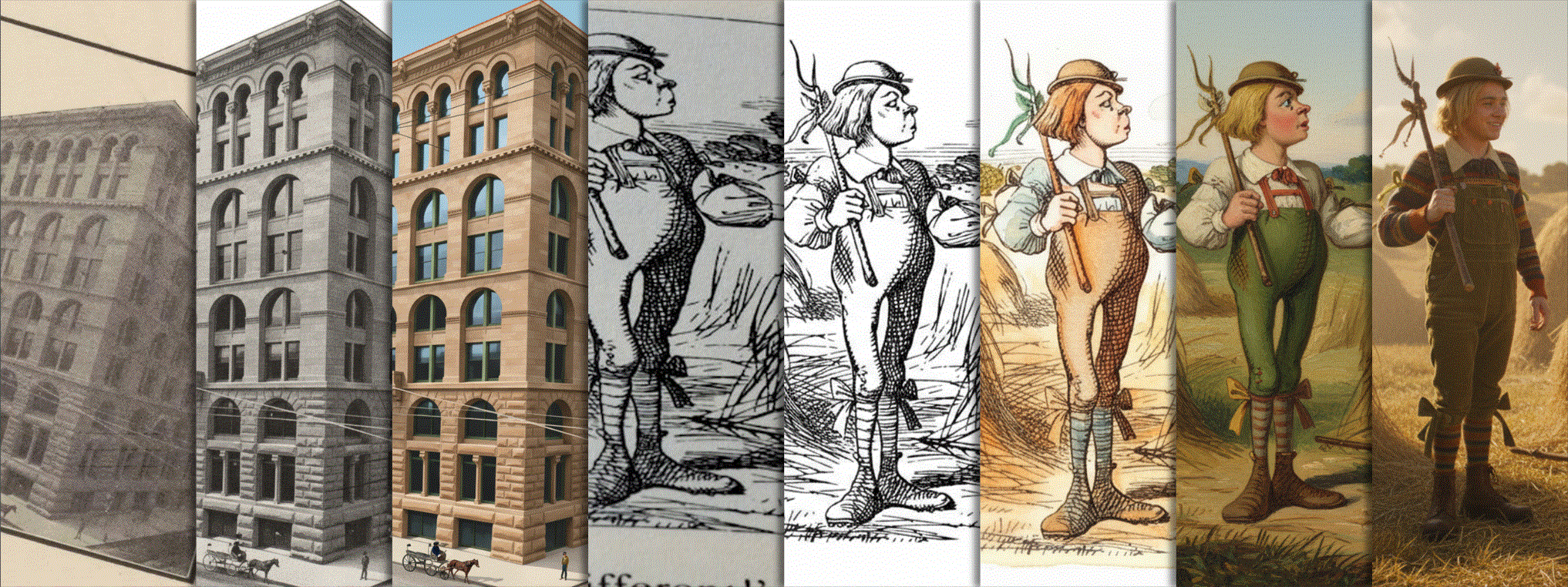
Gemini’s spatial understanding enables open-vocabulary object detection. This means you can identify objects based solely on text descriptions without prior training. For example, you could ask Gemini to find all illustrations in a book photo, extract them, and even restore damaged images—all using simple text commands.
Key Advantages
- No Training Required: Eliminate the need for labeled datasets
- Flexible Detection: Identify any object described in natural language
- Image Editing Integration: Use Nano Banana models for restoration
How to Set Up Your Gemini Object Detection Pipeline
1. Install Required Packages
Start with these essential Python packages:
google-genaifor Gemini API accesspillowfor image processingmatplotlibfor visualization
2. Choose Your API Access Method
Two options are available:
- Vertex AI: Requires a Google Cloud project with Vertex AI enabled
- Google AI Studio: Use a Gemini API key directly
Set environment variables accordingly:
GOOGLE_GENAI_USE_VERTEXAI="True"
GOOGLE_CLOUD_PROJECT="your-project-id"
GOOGLE_CLOUD_LOCATION="global"
Overcoming Computer Vision Challenges
Traditional models struggle with:
- Distorted angles in book photos
- Uneven lighting and paper grain
- Stains and text bleed-through
Gemini’s spatial reasoning handles these issues naturally. For example, it can detect curved illustrations in old books and extract them cleanly for digital restoration.
Practical Workflow Example
- Upload a book photo with an illustration
- Use a text prompt: “Find all 19th-century botanical illustrations”
- Gemini identifies objects using spatial context
- Extract and enhance images with Nano Banana models
Getting Started with Your Project
The complete source code is available under Apache 2.0 license. To experiment:
- Visit Google AI Studio
- Use the free tier for object detection
- Pay-as-you-go for image generation
Conclusion
Gemini open-vocabulary object detection transforms how we approach computer vision. By combining natural language prompts with spatial understanding, you can create powerful image analysis pipelines in minutes. Start experimenting with your own projects today!
5 FAQs About Gemini Object Detection
1. How does Gemini enable open-vocabulary object detection without training?
Gemini uses its spatial reasoning capabilities to interpret natural language descriptions and identify objects in images without requiring pre-trained models on specific classes.
2. Can I use Gemini for restoring old photographs?
Yes! The Nano Banana models can enhance and restore extracted images, making them suitable for digital archiving.
3. What are the cost implications of using Gemini for image generation?
Image generation is a pay-as-you-go service, while object detection is available in the free tier.
4. How accurate is Gemini’s object detection compared to traditional models?
Accuracy depends on the clarity of your text prompts and image quality. For complex cases, traditional models may still outperform Gemini.
5. Can I integrate Gemini with existing computer vision pipelines?
Absolutely. Gemini’s API allows seamless integration with Python-based workflows using the Google Gen AI SDK.








