
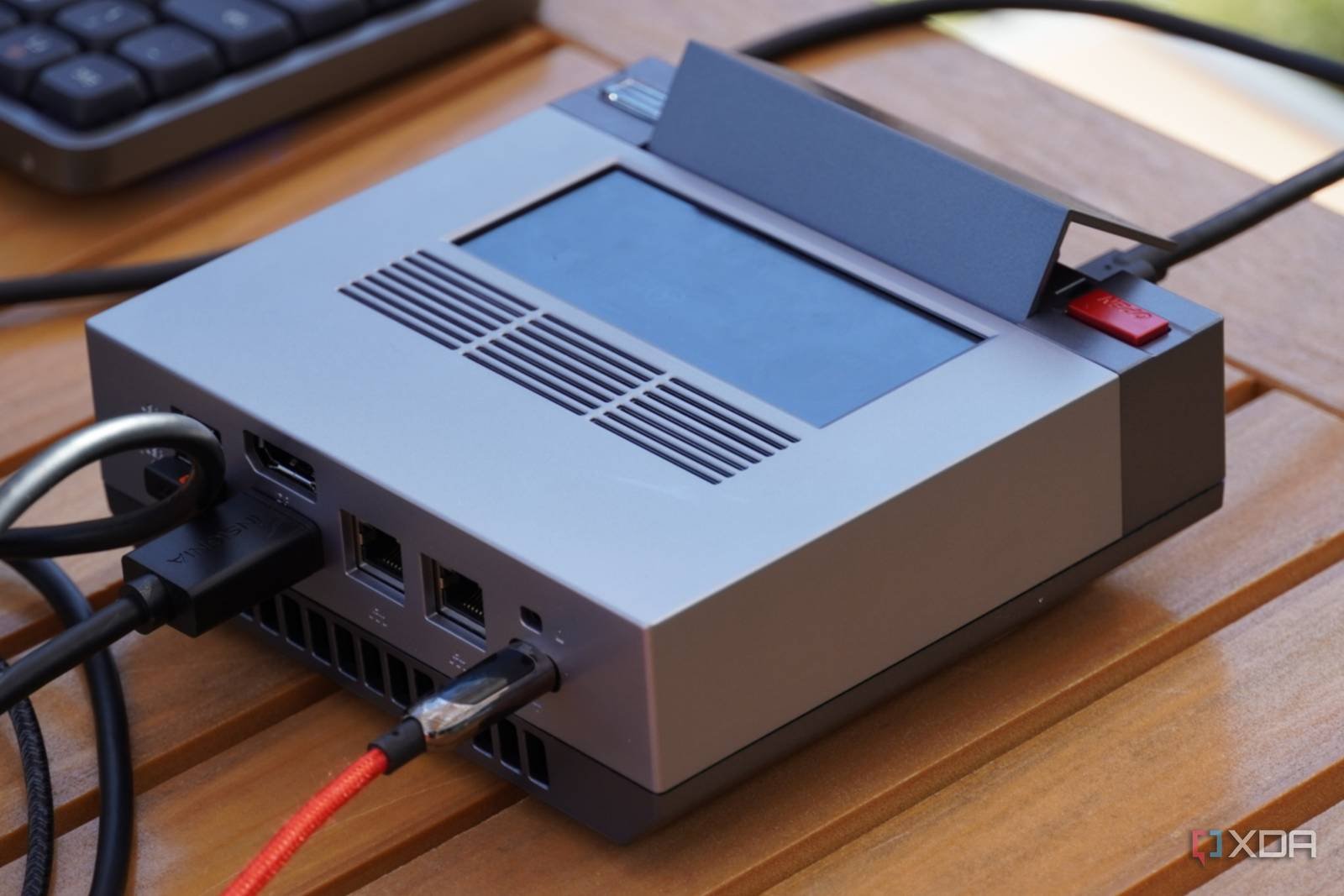
Mini PC as a 24/7 Remote Workstation
Remote work is no longer a luxury—it’s a necessity. But what if you could build a powerful, always-on remote workstation that fits in your pocket? I recently transformed a mini PC into a 24/7 remote workstation, and while KVM-over-IP was a key piece of the puzzle, the real magic lies in the ecosystem around it. Let’s break down how it works—and why it’s more than just hardware.
Why Mini PCs Excel as Remote Workstations
Mini PCs pack surprising power into a compact form factor. Devices like the Intel NUC or Raspberry Pi 4 offer enough performance for most remote tasks while consuming minimal power. Here’s why they’re ideal:
- Portability: Small enough to carry but robust enough to stay plugged in.
- Energy Efficiency: Run 24/7 without breaking the bank on electricity.
- Expandability: Add storage, RAM, or peripherals as needed.
Key Considerations Before Setup
Before diving in, ensure your mini PC meets these requirements:
- At least 8GB RAM for multitasking.
- SSD storage for faster boot times.
- USB-C or HDMI ports for external displays.
KVM-over-IP: The Remote Access Game-Changer
KVM-over-IP (Keyboard, Video, Mouse over Internet Protocol) lets you control your mini PC remotely as if you were sitting right in front of it. Tools like OpenMediaVault or commercial solutions like Delta KVM make this possible. Here’s how it works:
How KVM-over-IP Works
1. Hardware Integration: Connect your mini PC to a KVM switch with Ethernet or USB-C.
2. Remote Access: Use a web browser or dedicated app to control the device from anywhere.
3. Security: Encrypt traffic with SSL/TLS to prevent unauthorized access.
Setup Tips for a Reliable Remote Workstation
Building a 24/7 remote workstation isn’t just about hardware—it’s about workflow. Follow these steps to avoid common pitfalls:
- Use Static IPs: Assign a static IP to your mini PC for consistent access.
- Enable Wake-on-LAN: Power on the device remotely without physical access.
- Backups: Schedule daily backups to an external drive or cloud storage.
Software Stack Recommendations
Pair your mini PC with these tools for maximum productivity:
- Remote Desktop: Windows Remote Desktop or NoMachine.
- File Sync: Dropbox or Nextcloud for seamless file access.
- Monitoring: Use Glances to track CPU, RAM, and disk usage.
Why It’s More Than Just Hardware
While the mini PC and KVM-over-IP are essential, the real value comes from how they integrate into your workflow. For example, I use mine to:
- Run virtual machines for development testing.
- Host a personal cloud for media and files.
- Automate repetitive tasks with Zapier or Pactl.
Common Challenges and Solutions
1. Latency: Use a wired Ethernet connection for faster response times.
2. Overheating: Add a small fan or heatsink to passive cooling systems.
3. Software Conflicts: Test apps in a virtual machine before full deployment.
Conclusion: Your 24/7 Remote Workstation Awaits
Mini PCs are more than just hardware—they’re the foundation for a flexible, always-on remote workstation. By combining KVM-over-IP with smart software choices, you can create a setup that’s powerful, portable, and personalized. Ready to build your own? Start with a mini PC and let the remote work revolution begin.
Call to Action: Share your mini PC setup in the comments or explore our mini PC buyer’s guide for hardware recommendations.








