
Introduction
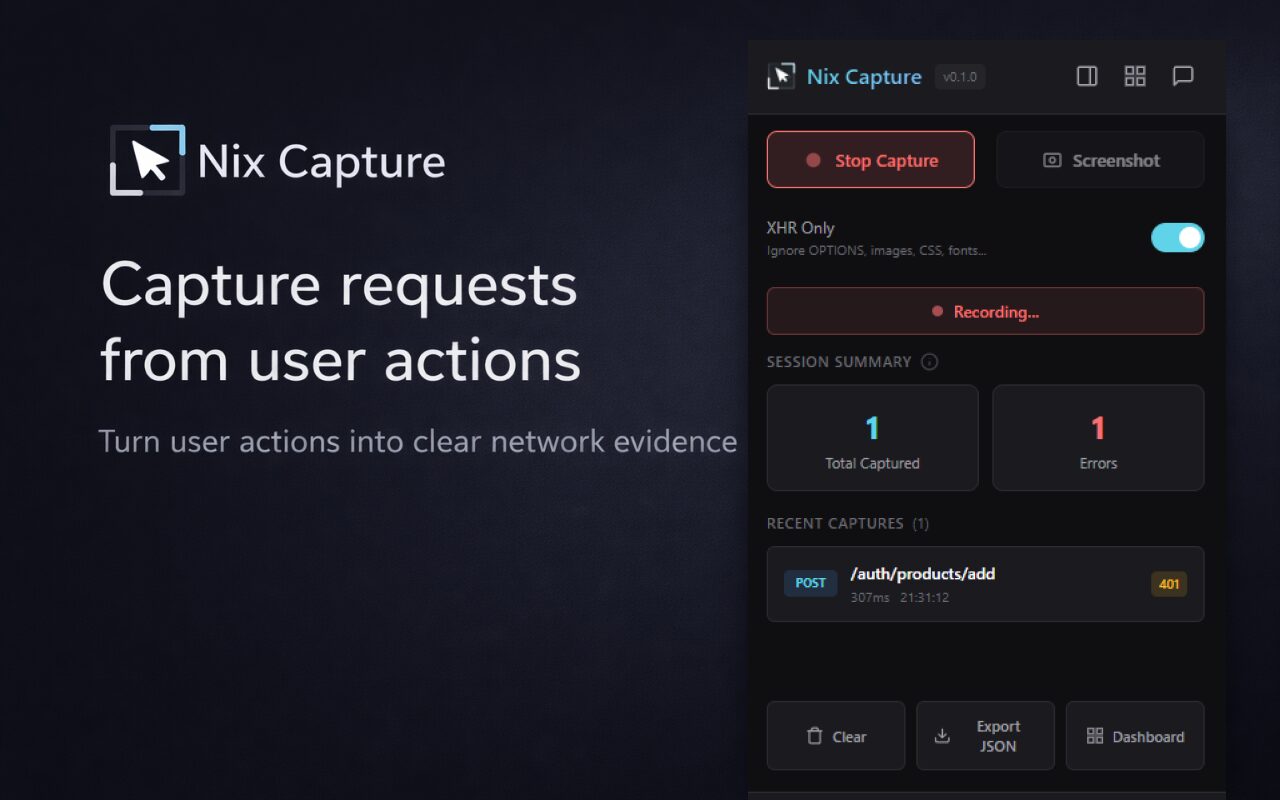
Have you ever received a bug report that just says “it’s not working” with no technical context? This frustrating scenario is exactly what inspired Nix Capture — a Chrome extension that captures API requests during bug reproduction. By eliminating the need for DevTools, it empowers QA, support, and product teams to create actionable bug reports in seconds.
How Nix Capture Works
Traditional bug reports often lack critical details like endpoints, status codes, and request headers. Nix Capture solves this by:
- Recording network activity during issue reproduction
- Exporting complete request/response data
- Providing human-readable technical context
Key Features
The tool focuses on simplicity and accessibility:
- No DevTools Required: Capture requests with a single click
- Instant Exports: Shareable JSON files for engineers
- Team-Friendly: Designed for non-technical users
Why It Matters for QA Teams
Traditional debugging workflows create friction between QA and engineering teams. Nix Capture bridges this gap by:
- Reducing back-and-forth communication
- Providing engineers with complete context
- Speeding up bug resolution cycles
Security Considerations
The tool handles sensitive data responsibly:
- Allows selective header capture when needed
- Plans for redaction features in future updates
- Focuses on team-controlled data sharing
Future Roadmap
While currently focused on request capture, upcoming features include:
- Structured ticket exports
- Smart filtering options
- Human-readable explanations
Conclusion
Nix Capture redefines how teams approach bug reporting by making technical context accessible to everyone. For QA teams struggling with vague reports, this tool offers a practical solution that saves time and improves collaboration. Try it today and transform your bug reporting workflow.








