
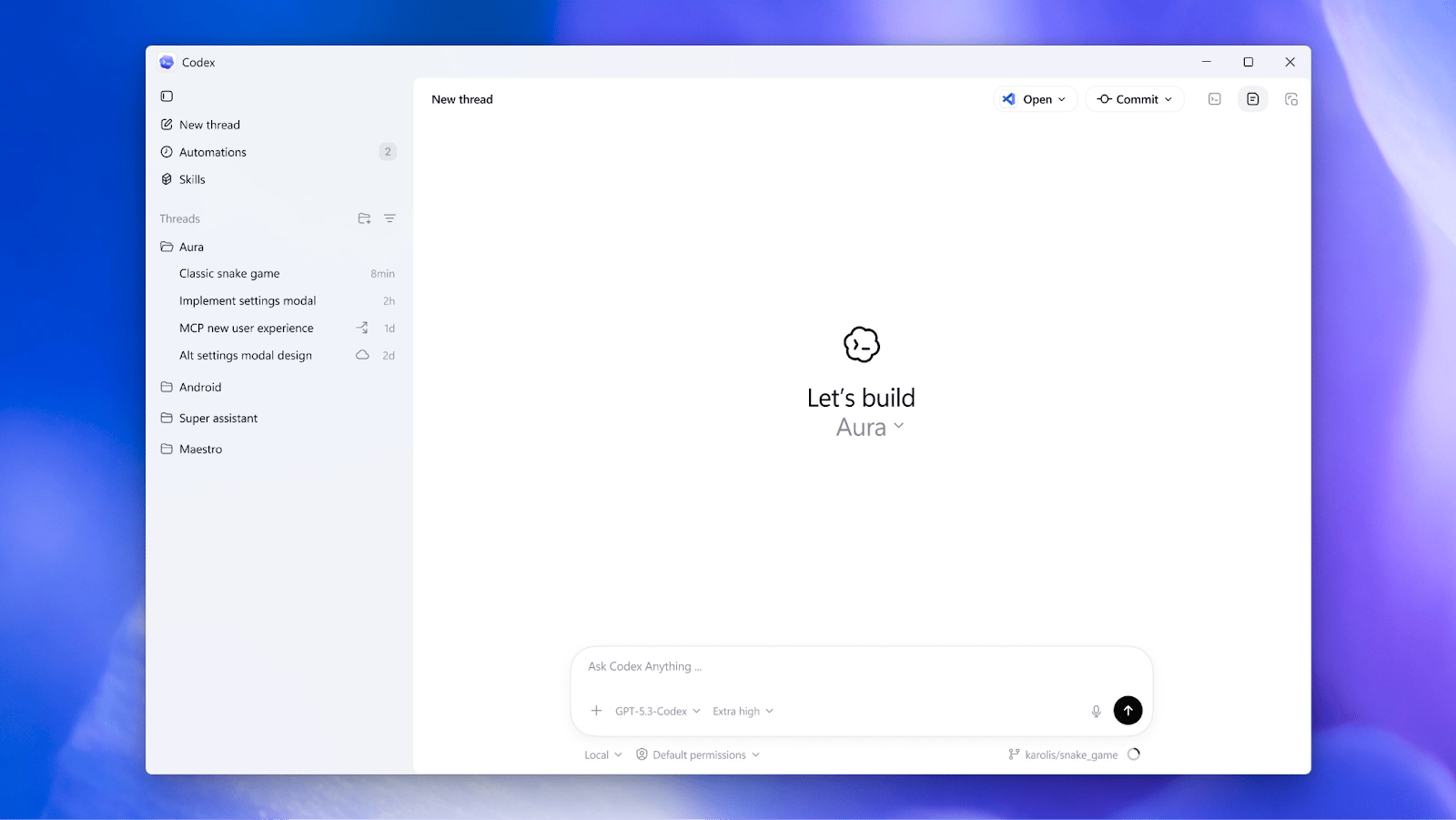
OpenAI Launches Codex Desktop App for Windows
OpenAI has officially launched its Codex app for Windows, giving PC users the same agentic power that Mac developers have been utilizing. The app is designed to be a command center for agentic software development, allowing developers to move beyond simple chatbots and into a world where multiple AI agents handle the heavy lifting.
Parallel Power and Skills
The core appeal of the Codex app is its ability to multitask. Instead of talking to one AI at a time, developers can run multiple coding agents in parallel. Each task is kept in its own worktree, meaning the agents can tinker with the code simultaneously without creating a tangled mess of conflicting changes.
Additionally, the app includes a Skills feature that bundles together instructions, scripts, and resources that let agents connect to specific tools and development workflows. This allows the AI to handle routine chores like bug testing and code validation while the human developer stays focused on high-level architecture.
Built for the Windows Ecosystem
Bringing Codex to Windows wasn’t just a simple port. Because the app needs to interact deeply with a user’s system, OpenAI had to build a custom, native agent sandbox to ensure security. This environment allows agents to run directly in Windows-native spaces, such as PowerShell, without requiring developers to jump into virtual machines.
OpenAI has also released the sandbox implementation as open source, which could allow other AI companies to adopt similar approaches for Windows-based development tools.
Cross-Platform Development and Availability
The Codex app supports cross-platform workflows. Developers who use both Mac and Windows machines can move between devices while keeping their session history synchronized with their OpenAI account.
Codex is available through the Microsoft Store and works on systems running Windows 10 version 19041.0 or later. The app can be used by people on multiple ChatGPT plans, including Free, Go, Plus, and Pro.
Conclusion
In conclusion, the launch of the Codex desktop app for Windows marks a significant milestone in the development of AI-powered coding tools. With its ability to multitask, parallel power, and skills feature, the app is set to revolutionize the way developers work. Try out the Codex app today and experience the power of AI coding agents for yourself.
Call to Action: Download the Codex app from the Microsoft Store and start exploring the world of agentic software development.
Frequently Asked Questions
- What is the Codex app, and how does it work?
- How do I get started with the Codex app?
- What are the system requirements for the Codex app?
- Can I use the Codex app on multiple devices?
- What are the benefits of using the Codex app for software development?








