Samsung Galaxy Z Flip 7 One UI 8.5 Beta Update: What You Need to Know
Staying ahead of the curve in mobile tech means embracing the latest software updates. Samsung users of the Galaxy Z Flip 7 are now getting a taste of innovation with the One UI 8.5 beta update. This release isn’t just a routine patch—it’s a gateway to enhanced performance, fresh features, and a glimpse into Samsung’s future software roadmap.
What’s New in One UI 8.5 Beta for Galaxy Z Flip 7
The One UI 8.5 beta brings a suite of improvements tailored for the Galaxy Z Flip 7’s unique form factor. Here’s what stands out:
- Dynamic Flex Mode Enhancements: Users can now customize split-screen layouts with greater precision, optimizing productivity on the foldable display.
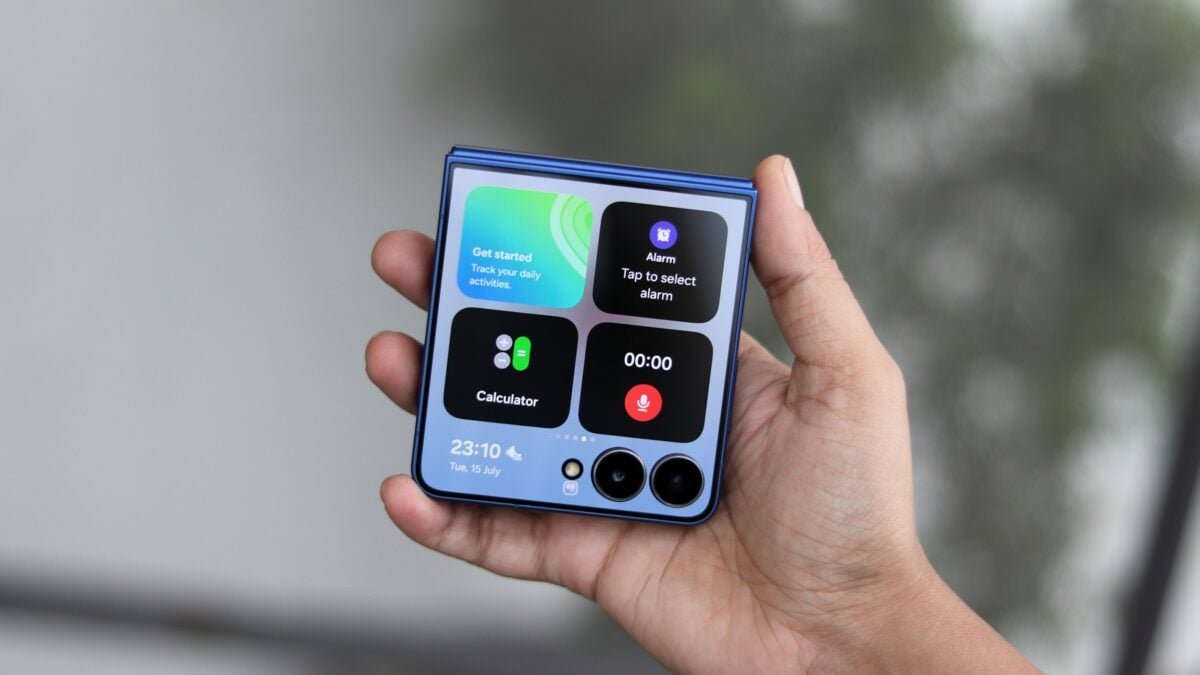
- Camera Optimization: Night mode gains sharper detail, while the cover camera now supports 4K video recording for vloggers on the go.
- Power Efficiency Boost: Battery life improvements extend up to 15% in real-world usage scenarios.
- New Privacy Dashboard: A centralized hub for monitoring app permissions and data usage.
How to Install the Update
Installing the One UI 8.5 beta is straightforward, but it’s crucial to follow these steps carefully:
- Open Settings > Software Update.
- Tap Download Update if available.
- Wait for the update to install—this may take 5–10 minutes.
- Restart your device to apply changes.
Pro Tip: Ensure your phone is at least 50% charged before starting the update process.
User Feedback and Known Issues
Early adopters have shared mixed reactions. While most praise the update’s responsiveness and visual polish, some users report minor hiccups:
- Occasional lag in the hinge sensor when switching between Flex Modes
- Bluetooth connectivity drops during high-performance tasks
Samsung’s beta program encourages users to report bugs via the Settings > About Phone > Report Bug menu. This collaborative approach helps refine the final release.
Why This Update Matters for Foldable Phones
The Galaxy Z Flip 7’s update highlights Samsung’s commitment to evolving foldable technology. By addressing hardware-software integration challenges, One UI 8.5 sets a benchmark for future devices. For example, the improved Flex Mode now supports:
- Multi-window editing in productivity apps
- Gesture-based navigation shortcuts
These changes make the Z Flip 7 feel more like a productivity tool than a novelty device.
Final Thoughts and Call to Action
The One UI 8.5 beta is a significant step forward for Samsung’s foldable lineup. While it’s not without quirks, the update demonstrates the brand’s dedication to refining its flagship technology. If you’re a Z Flip 7 owner, now is the perfect time to test these features and provide feedback.
Ready to upgrade? Check for the update in your device settings today. And don’t forget to share your experience in the comments below—your insights could help shape the final release!