
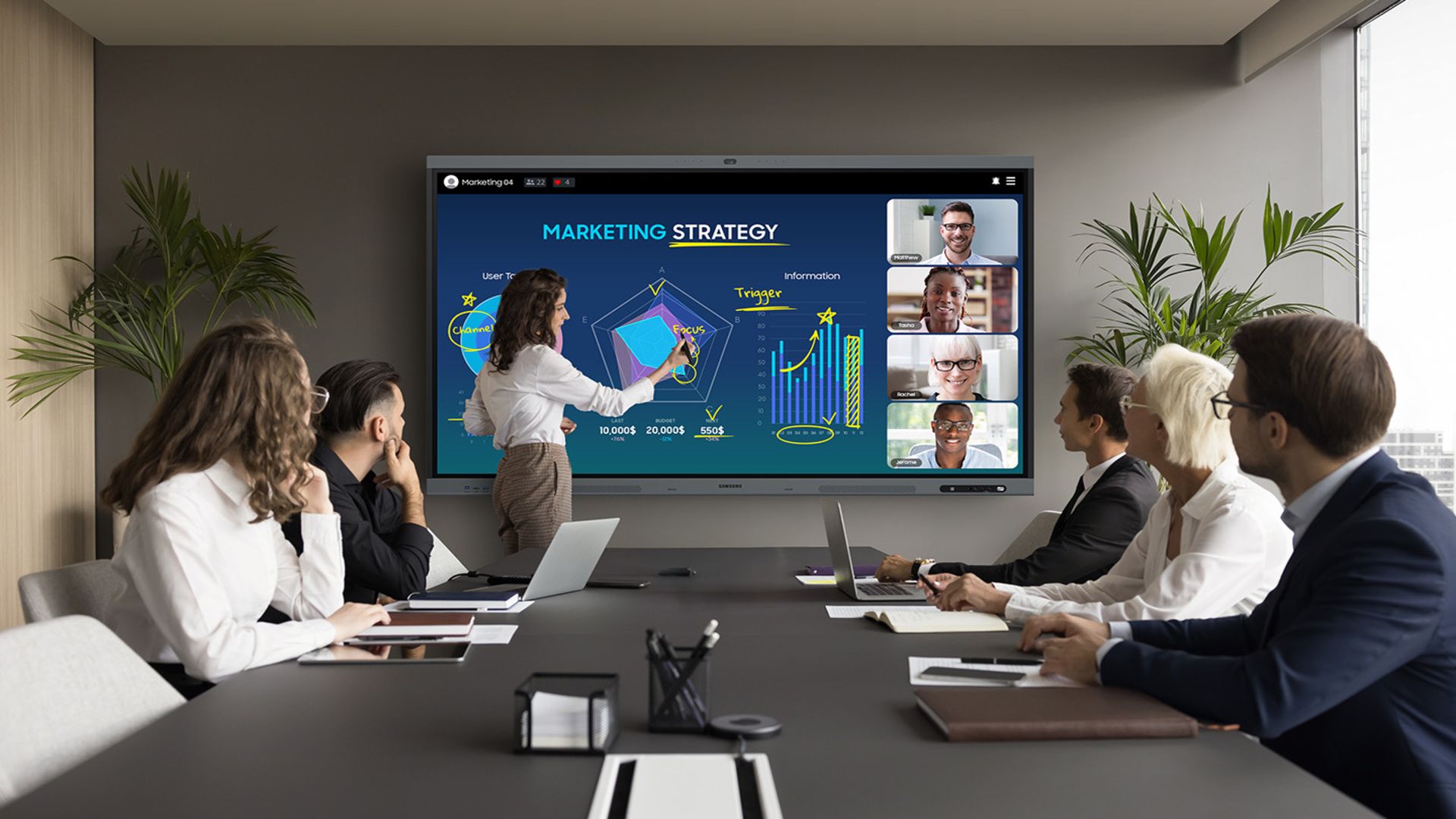
Samsung WAFX-P: The Future of Interactive Displays
Imagine a meeting room where ideas flow seamlessly, remote participants feel as present as those in the room, and every discussion is instantly organized. Samsung’s new WAFX-P interactive display aims to make this vision a reality. With AI-powered tools, multi-touch capabilities, and cutting-edge collaboration features, this premium display is designed to revolutionize how businesses and classrooms interact. Let’s dive into what makes the WAFX-P a game-changer—and whether it’s worth the investment.
Key Features of the Samsung WAFX-P Display
AI-Powered Collaboration Tools
The WAFX-P integrates AI features that summarize discussions in real time, capture key points, and generate transcripts. Tools like Circle to Search and AI Summary let users quickly locate relevant information during meetings or lessons. These capabilities reduce the need for manual note-taking, ensuring no critical detail is missed.
Multi-Touch and Dual-Pen Support
Up to 50 users can interact with the display simultaneously. Whether brainstorming on a whiteboard or editing a document, the responsive multi-touch screen and dual-pen support make collaboration intuitive. This is particularly useful in classrooms or workshops where multiple participants need to contribute at once.
Remote Participation Made Seamless
With built-in 4K cameras, microphones, and dual 20W speakers, the WAFX-P bridges the gap between in-person and remote attendees. Up to nine devices can share screens simultaneously, ensuring everyone—whether in a conference room or home office—stays engaged. The Live Caption feature generates real-time captions, improving accessibility and clarity in noisy environments.
Why the WAFX-P Stands Out
Android 15 and Octa-Core Performance
Powered by an octa-core CPU and running Android 15, the WAFX-P handles multitasking with ease. Users can switch between apps, run trusted tools, and manage workflows without lag. This performance ensures smooth transitions during presentations or collaborative sessions.
450-Nit Brightness and Device Integration
The display’s 450-nit brightness ensures clarity in well-lit rooms, while its ability to integrate multiple devices into a single workspace eliminates the need for third-party tools. Samsung’s On-Premise Device Management Solution allows administrators to control content, adjust settings, and send notifications across multiple displays, streamlining classroom or office-wide coordination.
Real-World Applications and Limitations
Education and Enterprise Use Cases
The WAFX-P is ideal for hybrid classrooms, where teachers can annotate lessons in real time while remote students follow along. In enterprises, it supports dynamic brainstorming sessions, with AI tools organizing ideas instantly. For example, a marketing team could use the display to sketch campaign concepts, share feedback, and generate meeting summaries—all without leaving the screen.
Cost and Accessibility Concerns
At $4,990 for the 75-inch model, the WAFX-P is a significant investment. While it’s suited for large corporations or well-funded schools, smaller businesses or independent educators may find the price prohibitive. Additionally, its effectiveness depends on proper integration into existing workflows and IT infrastructure.
Security and Operational Considerations
The WAFX-P’s built-in cameras and microphones enhance collaboration but require careful oversight. Organizations must implement safeguards to prevent accidental exposure of sensitive data. For instance, IT teams should configure privacy settings to restrict unauthorized access and ensure compliance with data protection regulations.
Final Verdict: Is the WAFX-P Worth It?
The Samsung WAFX-P redefines interactive displays with its blend of AI, multi-touch, and remote collaboration features. While the price tag is steep, its capabilities justify the cost for institutions and enterprises prioritizing seamless, high-tech collaboration. For those seeking a future-proof solution, the WAFX-P is a compelling choice—provided the budget and infrastructure align.
Ready to Upgrade Your Workspace?
Explore the Samsung WAFX-P and see if it fits your team’s needs. For more insights on cutting-edge tech, subscribe to our newsletter and stay ahead of the curve.
FAQs
- What makes the Samsung WAFX-P interactive display ideal for remote collaboration?
The display’s 4K camera, multi-device sharing, and Live Caption feature ensure remote participants stay engaged and informed, even in challenging environments. - Can multiple users interact with the WAFX-P at the same time?
Yes, up to 50 users can write, annotate, or contribute simultaneously using dual-pen and multi-touch technology. - How does the AI Summary feature work?
The AI automatically captures key points and generates real-time transcripts, reducing the need for manual note-taking during meetings or lessons. - Is the WAFX-P compatible with existing classroom or office systems?
Yes, Samsung’s Device Management Solution allows centralized control and integration with existing IT infrastructure. - What are the main drawbacks of the WAFX-P?
The high cost and need for IT support to ensure proper integration and security are the primary challenges for smaller organizations.








