Introduction to Email Security
Email security is a top concern in today’s digital age. However, many of us overlook the simplest signs of a fake email. Meanwhile, scammers continue to evolve their tactics, making it harder to distinguish between genuine and fake messages. Therefore, it’s essential to know how to check for red flags in email headers.
Understanding Email Headers
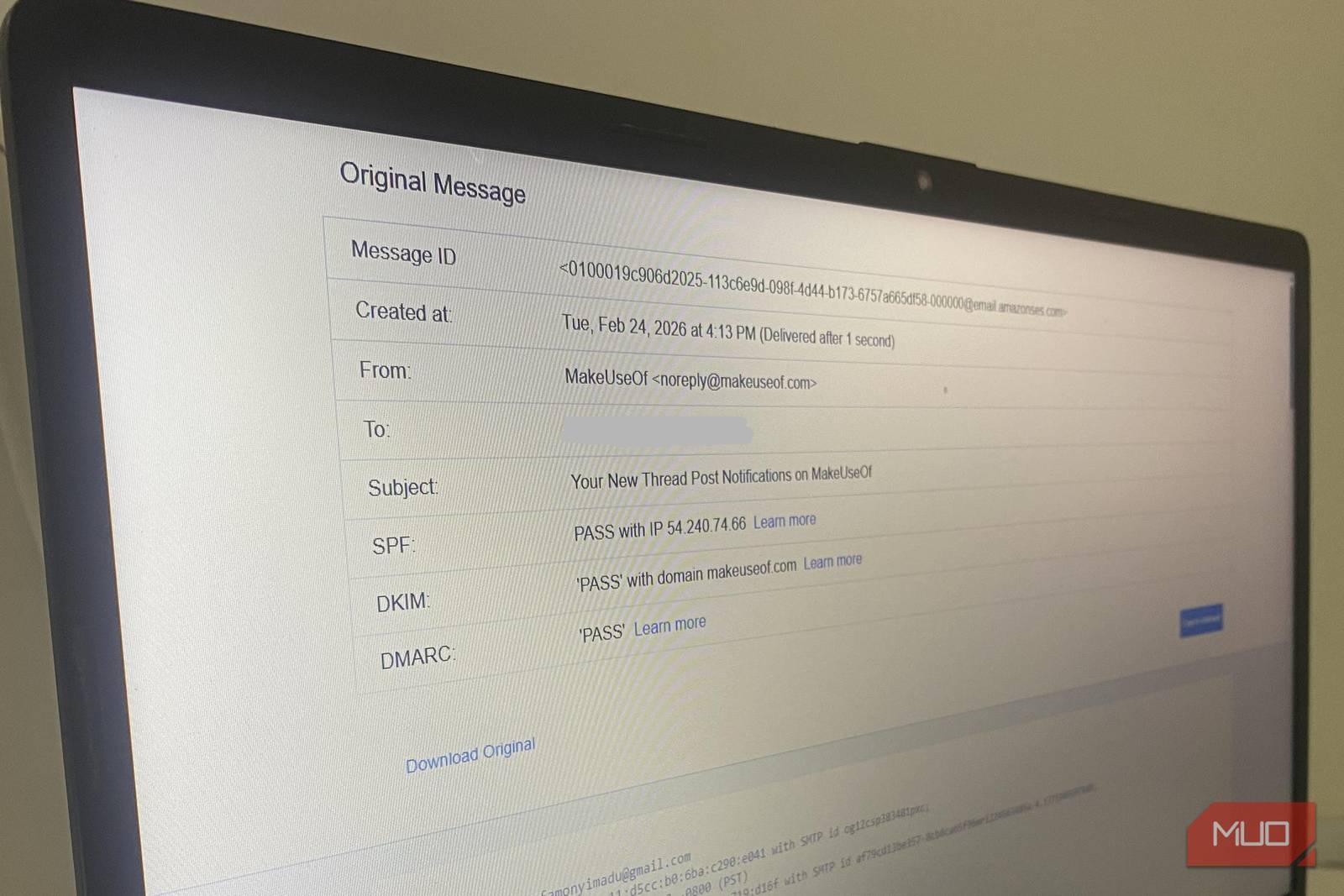
Email headers are like envelopes for your emails. They contain vital information about the sender, recipient, and the email’s journey. For example, the ‘From’ field tells you who sent the email, while the ‘To’ field indicates the recipient. Additionally, the ‘Subject’ line provides a summary of the email’s content.
Red Flag 1: Suspicious ‘From’ Field
A fake email often has a misleading ‘From’ field. Scammers may use a similar domain name or a variation of a legitimate company’s email address. However, a closer look can reveal discrepancies. For instance, a genuine email from a bank might have a ‘From’ field like ‘[email protected]’, while a fake email might use ‘[email protected]’.
Inspecting Email Headers for Red Flags
To check for red flags, you need to inspect the email headers. The process varies depending on your email client. Meanwhile, most email services provide an option to view the email headers. For example, in Gmail, you can click on the ‘More’ menu and select ‘Show original’ to view the email headers.
Red Flag 2: Missing or Fake ‘Reply-To’ Field
A legitimate email usually has a ‘Reply-To’ field that matches the ‘From’ field. However, scammers might omit this field or use a different email address. Therefore, it’s crucial to check the ‘Reply-To’ field to ensure it matches the ‘From’ field.
Red Flag 3: Suspicious ‘X-Originating-IP’ Field
The ‘X-Originating-IP’ field indicates the IP address of the device that sent the email. A fake email might have an IP address that doesn’t match the sender’s location. For instance, an email claiming to be from a company in the United States might have an IP address from a different country.
Conclusion and Call to Action
In conclusion, checking email headers is a simple yet effective way to spot fake emails. By inspecting the ‘From’, ‘Reply-To’, and ‘X-Originating-IP’ fields, you can protect yourself from scams and phishing attacks. Therefore, take the time to educate yourself on email security and stay vigilant when checking your emails.
FAQs:
- What are email headers, and why are they important?
- How can I view email headers in my email client?
- What are some common red flags in email headers?
- How can I protect myself from fake emails and scams?
- What is the focus keyword for this article, and how can I use it to improve my email security?