
Ubuntu 26.04 Defaults to Password Feedback in Sudo
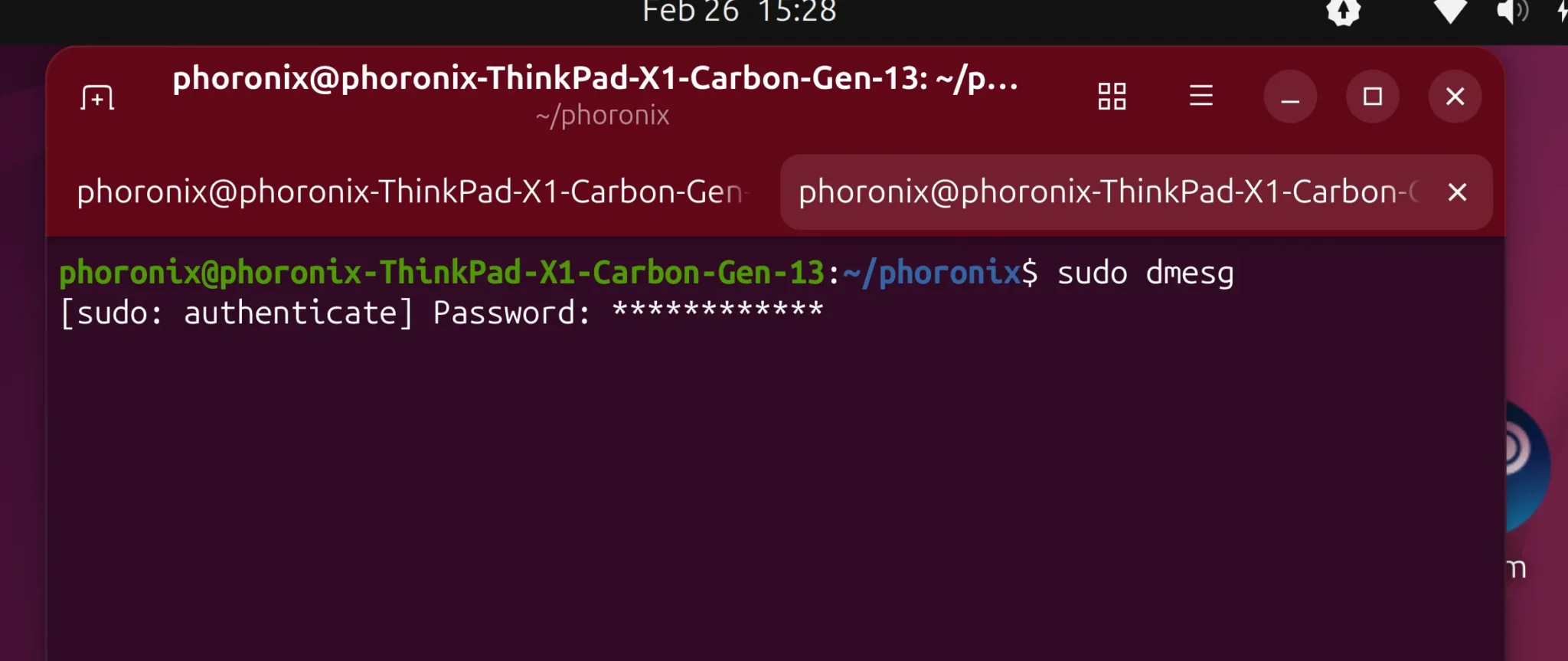
Ubuntu 26.04 has sparked debate by enabling password feedback by default for sudo commands. This change, introduced via the sudo-rs project, now displays asterisks (*) when users enter their passwords in the terminal. For decades, Linux systems avoided showing any feedback to prevent shoulder surfing attacks, but this update prioritizes user experience (UX) over that security measure.
The UX Shift in Ubuntu 26.04
Historically, sudo users received no visual confirmation when typing passwords. While this protected password lengths from prying eyes, it often confused newcomers. The sudo-rs team argues that modern users expect intuitive feedback, aligning with other password interfaces across Linux and beyond.
The change was implemented after a 2023 bug report highlighted the “UX pain point” for new users. As of February 2026, Ubuntu 26.04 development builds ship with pwfeedback enabled by default. Developers acknowledge the security trade-off but claim the risk is negligible compared to usability gains.
Security vs. Usability Debate
Why the Controversy?
- Proponents: Argue that asterisks improve accessibility and reduce user errors, especially for those unfamiliar with terminal workflows.
- Opponents: Warn that password length visibility could aid shoulder surfers, though they admit the risk is minimal in most scenarios.
Technical Workarounds
Users who prefer the old behavior can disable feedback by editing the sudoers file:
Defaults !pwfeedbackThis tweak reverts to the traditional “no echo” mode, preserving historical norms for security-conscious environments.
Community Reactions and Bug Reports
The change has divided the Linux community. Some users praise the modernization, while others criticize the “quiet break” of longstanding conventions. An Ubuntu bug report titled “Password feedback breaks decades of UX” was marked “Won’t Fix,” signaling the project’s commitment to the new default.
Developers defend the decision by noting that most password interfaces (e.g., login prompts, web forms) already show feedback. They argue that the security benefit of hiding password lengths is “infinitesimal” compared to usability improvements.
What Should You Do?
If you’re using Ubuntu 26.04 and want to maintain the old behavior:
- Open a terminal.
- Run
sudo visudoto edit the sudoers file. - Add
Defaults !pwfeedbackto disable asterisks. - Save and exit.
For most users, the new default is a welcome change. However, in high-security environments, the traditional approach may still be preferable.
Conclusion
Ubuntu 26.04’s password feedback shift reflects a broader trend in Linux: balancing tradition with modern UX expectations. While the security implications are minor, the decision highlights the ongoing tension between usability and historical practices. Share your thoughts in the comments—do you prefer asterisks or the silent password entry?








