
Introduction to DonutLoader Malware
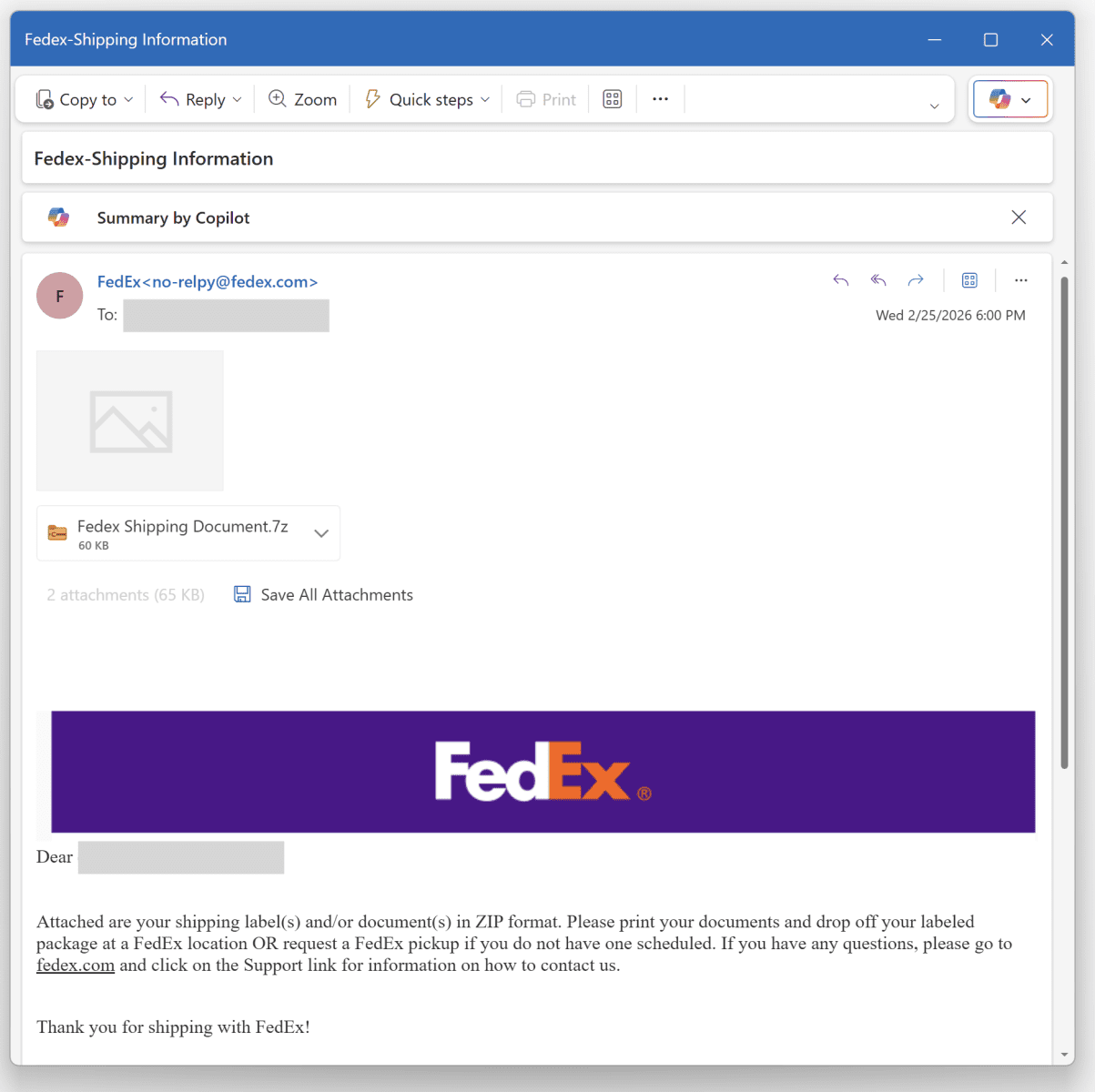
As we delve into the world of cybersecurity, it’s essential to stay informed about the latest threats. Recently, a fake FedEx email delivered more than just a notification – it brought with it the DonutLoader malware. In this article, we’ll explore how this malware works and what you can do to protect yourself.
Understanding the DonutLoader Malware
The DonutLoader malware is a type of shellcode that infects computers through phishing emails. These emails often appear to be from reputable sources, such as FedEx, and contain attachments or links that, when opened, download the malware onto the victim’s computer.
For example, the fake FedEx email that delivered the DonutLoader malware contained a 7z archive file called fedex_shipping_document.7z. This file contained a Windows script (.bat file) that, when executed, generated environment variables and implemented persistence through a Run key.
How the Malware Works
The malware uses a technique called delayed expansion to defeat simple searches for environment variables. This is done by using the !var! format instead of the classic %VAR% format.
Additionally, the malware uses a PowerShell one-liner to decode a Base64-encoded payload. This payload is then piped to another PowerShell, which implements different behaviors, including creating a Mutex on the victim’s computer and waiting for the presence of an explorer process.
Protecting Yourself from DonutLoader Malware
To protect yourself from the DonutLoader malware, it’s essential to be cautious when opening emails and attachments from unknown sources. Here are some tips to help you stay safe:
- Be wary of emails with generic greetings or those that ask you to download attachments or click on links.
- Verify the authenticity of emails by contacting the sender directly.
- Keep your operating system and software up to date with the latest security patches.
- Use antivirus software and a firewall to protect your computer from malware.
Conclusion
In conclusion, the DonutLoader malware is a sophisticated threat that can infect computers through phishing emails. By understanding how the malware works and taking steps to protect yourself, you can reduce the risk of infection and keep your computer safe.
Remember to always be cautious when opening emails and attachments from unknown sources, and to keep your operating system and software up to date with the latest security patches.
Frequently Asked Questions
Here are some frequently asked questions about the DonutLoader malware:
- What is the DonutLoader malware? The DonutLoader malware is a type of shellcode that infects computers through phishing emails.
- How does the DonutLoader malware work? The malware uses a technique called delayed expansion to defeat simple searches for environment variables and implements persistence through a Run key.
- How can I protect myself from the DonutLoader malware? To protect yourself, be cautious when opening emails and attachments from unknown sources, verify the authenticity of emails, and keep your operating system and software up to date with the latest security patches.
- What are the symptoms of a DonutLoader malware infection? The symptoms of a DonutLoader malware infection can include slow computer performance, unexpected pop-ups, and suspicious network activity.
- How can I remove the DonutLoader malware from my computer? To remove the DonutLoader malware, use antivirus software to scan your computer and remove any detected threats.








